Virtual Reality: Acoustics. A Prototype System for Sound Simulation
Click to show original title page, abstract, preface, etc.
Amiga is a registered trademark of Commodore-Amiga Inc.
"dbx" is a registered trademark of dbx, Newton, Mass., USA, a division of BSR NA Ltd.
Dolby A, B, C, S, Sr are registered trademarks of Dolby Laboratories Inc., San Francisco, California
Dolby Surround is a registered trademark of Dolby Laboratories Inc., San Francisco, California
Department of Computer Science Lund University S-221 00 Lund, Sweden ©1994 by Denis Tumpic
version ©2008 by Denis Tumpic
Docusaurus version, English translation done by LLM and manually edited over time ©2025 by Denis Tumpic
Swedish Abstract
Currently, video ray tracers are very common on personal computers, but audio ray tracers are not available in similar abundance. Commercially, none are available at reasonable prices. This fact, combined with today's growing interest in VR environments, indicates a strong need for an audio ray tracer that is both fast and easy to use. The visualization present in all video ray tracers should have an acoustic counterpart in an audio ray tracer, and this is called audialization (auralization).
Furthermore, an audio ray tracing program can be a very useful tool for improving the acoustics of existing rooms. For such a tool, the requirements for real-time feedback that arise when aiming for a good VR environment are not necessary. This report is a thorough review of the acoustic criterion—3D Audio—in the strong VR environment definition. A brief introduction to sound, auditory perception, and audio processing serves as an opening. Finally, I define and summarize VR environments. In the finale, I discuss work on 3D Audio in relation to these aspects, as well as the efficiency of human-computer interaction and the algorithms associated with sound field generation. Auralization is also discussed, and a possible solution for this is presented.
Abstract
This report is a thorough look at the acoustic criteria - 3D-Audio - the strong definition of VR-environment. A brief introduction to sound, the human ear and audiohandling is given, and to conclude this introduction, a definition and summary of VR-environments. Finally I discuss the implementation of 3D-Audio with regard to these aspects, and to the effectiveness of human-computer- interaction and the algorithms in the sound-field-generation module. As a conclusion, the auralization stage is discussed and a possible solution is presented.
Preface
This report presents a thesis project carried out during the first half of 1994 on an computer of the Amiga type. The thesis serves as a comprehensive prologue to acoustic VR environments. Emphasis has been placed on human-computer interaction and algorithmic efficiency in the synthesis of sound fields.
I thank my parents for their patience with me and for their valuable support during difficult times over the years.
I wish to thank Michael Dovits and Lars Malmborg for inspiring me with interesting ideas and experimental projects over the years. For the first high-quality printout, Lars made his HP-550C available.
I thank Lars Holmgren for his presentation of the video ray-tracer Lightwave.
I thank Robert Frank for providing me with much constructive criticism and for helping me proofread the main text. He also contributed the joke on page 17.
I thank my acoustics supervisor, research engineer Erling Nilsson, for his clarifications on the subject and for tempering my ambitions in time.
Finally, I thank my supervisor at the Department of Computer Science and Numerical Analysis, Sten Henriksson, for his valuable knowledge and insights.
Malmö, November 1994
Denis Tumpic
Principles of Sound and the Ear


It has long been an axiom of mine that the little things are infinitely the most important.
Sir Arthur Conan Doyle
Here follows a brief introduction to the nature of sound and hearing. The primary reason I wrote this chapter is to enable those with no prior knowledge of how sound works to form a basic understanding of the subject. Even "old foxes" in acoustics should read this chapter to support my continued fluent advocacy in the subsequent chapters.
I have attempted to highlight the less obvious problems in acoustics to demonstrate what real issues exist. For a thorough overview of acoustics (particularly in rooms), I refer the interested reader to "Room Acoustics" by Heinrich Kuttruff. For the principles of the ear, I recommend the "Encyclopedia Britannica," as it offers rich informational content on the subject. Furthermore, "The Audio-Engineering Handbook," compiled by K. Blair Benson, is an excellent and valuable read for those interested in the technical aspects as well.
The Nature of Sound
Sound is not entirely different from light in nature. The difference is that it involves compressions and rarefactions of a medium, rather than a continuous stream of photons. Sound propagates longitudinally, in contrast to light’s transverse propagation, as illustrated in the figure below.


In everyday life, we are constantly exposed to various forms of sound. These can include low tones that cause objects to vibrate. Such tones are called infrasonic, and our ears do not perceive them well; instead, it is the periphery of our body that vibrates slightly. This phenomenon has been noticed by everyone who has been overtaken by a large truck while cycling—especially when the truck accelerates. Infrasonic tones include all pure tones below 20 Hz. By pure tones, I mean tones consisting of a simple sinusoidal waveform.
The way bats (Chiroptera) detect obstacles is highly impressive and can most easily be compared to radar (RAdio Detection And Ranging). Unlike radar’s radio waves, bats emit a high-pitched tone in their direction of travel to detect obstacles or changes along their path [1,2]. This high-pitched tone is called ultrasonic, and all pure tones above 20 kHz are classified as such. Between the infrasonic and ultrasonic frequency ranges lies normal human hearing.
It is therefore no coincidence that High-Fidelity is defined, among other things, by the ability to reproduce recorded material with a flat frequency response in the range of 20 Hz to 20 kHz [3, 4]. A flat frequency response means that small fluctuations in adjacent frequency bands are acceptable, and the maximum deviation from the mean must not exceed 3 dB. Decibel is a relative unit and in this context is defined by , where P stands for acoustic power. In nature, multiple sound sources occur. In fact, almost everything is a small sound source in some way. A person speaking is obviously a sound source, but even when completely silent, their body generates sounds. However, these sounds have much less energy content than speech. When a symphony orchestra plays fortissimo (abbreviated as fff in musical notation, meaning the orchestra should play extremely loudly), it generates only about 2.5 W of acoustic power. Our own speech, which in this context is completely drowned out by the orchestra's blaring horns, typically reaches about 25 µW. It is clear that we are surrounded by an endless stream of sound—from the playing children next door to the whisper of blood in our ears.


Sounds generally consist of many composite tones that give them their character. These tones have different amplitudes (intensities) and phase relationships to build up the sound. To make it easier for us to handle the concept of frequency, we divide the frequency band into octaves.
The word "octave" comes from the Western musical world and means a doubling of frequency. Our music fundamentally operates in a modulo-8 system—C1 D E F G A B C2 (octa = 8). Mathematically, it might have been modulo-7, but musicians do not use zero as a starting reference. It should be added that we are here ignoring the "black keys," since they were introduced later. Acoustic measurements are typically divided into octave intervals because this provides a natural and simple representation when analyzing musical material.


In a frequency analysis (Fourier analysis) of sound, we can visualize its characteristics. To decompose a sound into its inherent information, we can let a bandpass filter operate on audio data coming from a microphone. These bandpass filters should have disjoint (non-overlapping) frequency range boundaries, and the union of their frequency ranges should cover the entire frequency range we are considering, if we wish to achieve a good visualization (Figure 1.3). For clarification, a bandpass filter is a filter that strongly attenuates all frequencies above the upper cutoff frequency and below the lower cutoff frequency (see also resonance). Filters, in general, constitute a broad field that I will not delve into in detail. Those interested in learning more about filters can read about them in telecommunications textbooks.
By integrating the energy within the decomposed frequency bands over a specified time period—which does not need to be identical for each filter—we can visualize the information in a relatively simple manner. This visualization is called a sound spectrum and can be an appropriate way to show how a sound is structured, particularly during sound production.


Sound Propagation
The propagation of sound is not entirely trivial. Although it may appear simple, it is important to note that it involves mechanical vibrations. The reader is urged to keep this in mind during further reading. Furthermore, it should be emphasized that sound cannot propagate in a vacuum, since a vacuum contains no matter capable of exerting pressure changes necessary for sound propagation. Since we are surrounded by vast amounts of material in different states of aggregation (at varying pressures and temperatures), this makes it difficult to make general accurate calculations and assumptions. However, there are a few fundamental principles that also apply to light.
We assume we have an isotropic source, meaning the source radiates its energy uniformly in all directions. We let it emit a short impulse, and using microphones we record the energy received at various distances from the sound source. If we perform this experiment outdoors, without large objects interfering with our measurements, we will find that the energy decreases quadratically with distance.
Moreover, we can state without major reservations that as long as the amplitude is not excessive, compressions and rarefactions will propagate at a constant speed. The speed of sound in air at normal humidity and C is approximately 343 m/s. This speed is rather modest compared to light’s approximate speed of 300,000,000 m/s in a vacuum. Nevertheless, sound is still much faster than my car, even downhill, with tailwind and homesickness.
Reflection & Absorption
We have all at some point been puzzled by seeing a sound source and hearing its sound come from an entirely different direction. Under extreme conditions, this can happen. The direct sound is absorbed so much that reflections dominate the auditory image. This causes the sound source to appear delocalized, and it feels as if the sound has no body. The naive observer might assume that sound behaves like light during reflection and absorption, but this is a very crude approximation that only works in very simple cases. When it comes to sound reflection, the reflected sound wave depends on the angle of incidence, the surface's characteristics, the mass of the reflecting object, and the nature of the sound.


That reflection depends on the character of the sound means it is frequency- and phase-dependent. Furthermore, we face the major issue that plane sound waves rarely exist in nature. A plane sound wave depends only on time and one direction. This implies that we can never have parallel sound waves. Thus, the hypothesis of using light's behavior in calculations of sound propagation is misleading.
Interference
Let us consider two identical sound sources emitting coherent information. Furthermore, these sound sources are arbitrarily positioned in space. According to the principle of superposition—which also applies to electrical signals—the contributions from the sound sources add linearly at every point in space. By "point," I mean a small, bounded region capable of containing the highest frequency present in the sound's character. Note that this region also depends on the medium through which the sound travels.


Interference is typically divided into two categories: constructive and destructive. In the case of constructive interference, the two sound sources cooperate at the given point we are considering. They oscillate in phase and result in an amplification of the signal. Destructive interference, which occurs when the sound sources are not oscillating in phase, leads to a reduced signal at the given point, as illustrated in the figure above. In nature, this phenomenon arises naturally due to the interference between direct sound and reflected sound. Interference can be used for practical purposes and serve as a noise suppressor. The simple idea is to place microphones near the noise source and, at an appropriate distance, position a loudspeaker that emits a phase-shifted signal to cancel out the noise source. This concept is called active noise cancellation. Although it seems relatively straightforward to build a prototype, we face several challenges. The first problem is that we are adding acoustic energy to the system. Since the added energy cannot be selectively applied (see plane sound waves), our prototype will cause amplifications at certain points. Noise is often of a complex acoustic character that varies over time, which presents us with an additional difficulty. It is not entirely impossible to create active noise cancellers; however, with today’s technology, they are still too expensive compared to passive sound absorbers.
Diffraction
This phenomenon is simple to understand, but its nature is highly complex. The phenomenon occurs when a sound wave bends around an object. During diffraction, the wavefront becomes distorted, resulting in our ability to hear, for example, around corners. The amount of sound that diffracts depends on the shape of the obstructing object and the characteristics of the sound. Low-frequency components in the sound signature are not disturbed by small objects. In contrast, high-frequency components, which have much shorter wavelengths, are easily disrupted by various obstructing objects in their path. We have all seen how long-wavelength water waves remain unaffected by buoys that happen to be in their way.


We do not use the diffraction phenomenon when making a geometric interpretation of sound propagation, because the main postulate of geometric interpretation is the rectilinear nature of sound rays. When dealing with complex sound characteristics with a broad frequency range, and when sound sources are not coherent, interference can also be neglected [5].
Refraction
Sound traveling over long distances is likely to encounter various temperature and/or airflow changes. When sound propagates toward a gradient of such changes, the sound waves are bent, and we can most closely liken the result to an optical lens. Naturally, refraction occurs during temperature inversion/with-wind and temperature lapse/against-wind conditions. When treating rooms smaller than 10,000 m³, we can neglect these effects because temperature differences do not amount to full degrees, and wind typically does not occur in enclosed rooms. It should be added that the human body heat, which forms a sheath around the body [6], produces sufficient temperature differences, but its extent is normally so limited that it has no significant effect on sound perception.


Resonance
When an external force acts on a vibrating system, the system will oscillate in sync with the driving force. Once the driving force is removed, the system will adjust to its natural frequency. This frequency is called the resonant frequency and is a crucial component in calculations for all vibrating systems. Theoretically, almost everything in the physical world can be expressed as a Taylor expansion. By truncating all terms beyond second order in this Taylor expansion, we are left with a second-order differential equation—which we know describes a vibrating system. This rough approximation suggests that everything in nature is essentially a vibrating system. A vibrating system can be described in many ways, but the most common method is through the quality factor Q.


The importance of the quality factor in applications such as radio receivers, loudspeakers, and musical instruments is very significant. For a radio receiver to have good selectivity (ability to distinguish stations), a high Q value is required in the selector module (RF stage), which extracts the desired station from radio waves. Loudspeaker designers generally build systems with a low Q value to prevent coloration of the sound image. When it comes to musical instruments, it is the instrument’s character that must be enhanced, and it is the instrument maker who endlessly carves and polishes the instrument until it achieves the proper resonant properties.
Directivity
Transmitters that are omnidirectional have no distinct directionality in their emitted waves, as they spread uniformly. All of this also applies to receivers, with the difference that sound waves are incoming rather than outgoing. However, most transmitters are not omnidirectional but have some degree of distinct directionality in the information they transmit. This directionality is also frequency-dependent, as can be seen in the illustrations below. This makes it clear that low frequencies tend to be much more omnidirectional than high frequencies. Something that further complicates calculations is that directivity depends on how the transmitter is designed.


Reverberation
The first sound the listener hears is the direct sound from the sound source, traveling in a straight line toward their ears. This is the law of the first wavefront, and L. Cremer was the first to recognize and formulate this fact. Following the direct sound come the early reflections from the ceiling, walls, floor, and various large objects. These early reflections travel a longer path and reach our ears at a later stage, typically within the first tenths of a second. If a very strong reflection occurs after these initial tenths of a second, we perceive it as an echo. An echo is, unlike the diffuse, fuzzy signal of reverberation, a distinct and discernible sound signal. Sounds that arrive later and are not reflections in the true sense (higher-order reflections) are considered reverberant sounds. The duration of reverberation, which is a crucial component in acoustic calculations, can be computed using Sabine’s formula. There are several different formulas for calculating reverberation time, but the one mentioned is best suited for general models. Once we have calculated the reverberation time (), we can apply various acoustic quality criteria to the space. These quality criteria are based on the room’s impulse response, which in visualized form is called a reflectogram and represents sound pressure as a function of time (see Figure 1.10).
To obtain the room’s impulse response, we generate a very short energy pulse—a Dirac pulse. A Dirac pulse is a pulse whose entire energy is concentrated at the initial moment—see Appendix B for the full definition. This pulse can be approximated effectively using a pistol shot or a hand clap. The most useful quality criteria are Clarity, Deutlichkeit, Rise Time, and Lateral Efficiency. These were developed subjectively through experimental methods but are highly valuable in acoustic design.


Dispersion
When sound propagates through a medium that does not transmit frequencies at the same speed, dispersion occurs. This phenomenon typically manifests when sound travels through viscous fluids and dense gases. In such media, the speed of sound increases with increasing frequency—note that this is directly opposite to optical dispersion in ordinary glass media.
Doppler Effect
So far, we have only considered stationary sound sources and receivers. When we allow sound sources and receivers to be moving objects in space, the sound waves become compressed in the direction of motion. This compression results in an upward frequency shift of the sound characteristics. In the direction of recession, the sound waves spread out, leading to a downward frequency shift. This phenomenon also occurs with light, which is why we can determine whether a celestial body is moving toward or away from us.
The Doppler effect is named after the Austrian physicist Christian Doppler. He noticed that the whistle of a train departing from the station changed its sound character. However, what he heard was not solely the Doppler effect; refraction also coexisted due to turbulent air flows around the moving train. I will not delve into further detail about these turbulent flows, as it is generally accepted that they are chaotic systems and the computational power required to solve them numerically is enormous.
Experience of Sound
In everyday life, we are not concerned with the sound quality that reaches our ears. It is only when listening to music or speech—when attending lectures, the opera, theater, or cinema—that we demand a certain sound quality. Below are some criteria, selected from [7], that listeners can use to characterize sound quality.
Clarity
High scores in this category require an acoustic system that reproduces a broad frequency spectrum, has a flat frequency response, and exhibits low nonlinear distortion. The nonlinear distortion criterion should be considered when evaluating reproduction systems such as loudspeakers and similar devices.
Brightness, Sharpness & Fullness
When the acoustic system reproduces high frequencies with slight overemphasis, this is perceived as brightness. With even greater overemphasis, the perception becomes sharpness, to some extent resembling shrillness. The opposite—when low frequencies become dominant—is called fullness.
Spaciousness & Nearness
These criteria are nearly self-explanatory: spaciousness increases when the high-frequency content (typically 500–4000 Hz) reaching our ears has significant differences (low correlation). The smaller these differences, the closer the sound source appears to the listener.
Loudness
This criterion is self-explanatory but should not be confused with sharpness or regarded as a highly unpleasant experience.
The Auditory Organ
Here is a brief introduction to the ear and its anatomy. Additionally, I provide a short explanation of recent audio compression techniques.
Anatomy of the Ear


The ears are our antennas for receiving sound and can be divided into three main parts (see figure above). The outer ear, whose shape resembles a trumpet, acts as a directional receiving amplifier. The reader should recall the directivity of trumpets from the previous section. The amplification arises because a large sound pressure area at the outer ear is compressed into a small sound pressure area at the inner ear; since the energy remains the same but becomes more concentrated, this results in amplification of the sound (pressure increases as area decreases). According to Shaw [8], frequencies above approximately 2 kHz are both reflective and resonant within the complex structure of the outer ear, which colors the received sound.
When sound waves reach the eardrum after being diffracted by the head and colored by the outer ear, air pressure changes are converted into fluid pressure changes in the middle ear, and then transformed into electrical nerve impulses in the inner ear that transmit signals to the brain for analysis. Our ears are most sensitive around the 4 kHz range and least sensitive in the bass region, as shown in Figure 1.12. For further reading, I recommend the "Encyclopedia Britannica" [9].
The cochlea does not receive its information solely from the outer ears; our skull provides a significant portion of the sound, since bone is an excellent conductor of sound. A simple experiment is to bite into a mechanical wristwatch—you can "hear" the ticking.
When we listen with headphones, this bone-conducted extra information is absent, and the sound image feels slightly "dull," though not entirely devoid of character. Our own voice primarily travels to the inner ear via bone conduction through the skull. This explains the aversion many feel when hearing their own voice after a tape recording—the sound is heavily colored and altered in various ways. Something that further deepens the sense of sound experience—and is not present when listening with headphones—is when we feel the sound in our stomach, especially very low tones with high sound pressure. One factor that most people are unaware of or do not consider is what happens after spending some time outdoors in the cold and then entering a warm environment. To fully enjoy the experience, we often start listening to some music. What we then perceive is that everything sounds awful, because our eardrums have become stiff after being outdoors. There are additional reasons why the sound may seem as it does, but the primary cause is the one mentioned. This phenomenon occurs during all significant climate changes, but the intensity of the experience varies greatly between individuals.


Masking
The sound level from a sound source interacting with other sound sources will be colored by them. This coloring is called masking, and the fundamental frequency of the interacting sound sources determines where in the frequency band the masking has the greatest effect. The harmonics of the fundamental frequency contribute to masking at higher frequencies, while the subharmonics—which are fewer and more dampened—contribute to masking in the lower frequency ranges.
This is a simplified picture of the whole, because complex sounds—not originating from the world of music—do not have a distinct fundamental frequency with harmonic characteristics. It may seem slightly confusing that a sound has an indistinct fundamental frequency; here is an explanation. A fundamental frequency can be defined as the first frequency that emerges in a total frequency analysis of the sound. If we allow the fundamental frequency to vary over time (small time intervals shorter than about 30 ms), which is typically the case in complex contexts, the fundamental frequency becomes indistinct. When it comes to purely musical sounds, the latter representation is somewhat redundant, since most sounds with indistinct fundamental tones are dissonant and unsuitable for use in "real" musical pieces. The harmonic overtones of the fundamental tone can be stronger than the fundamental tone itself, and for all musical instruments, these overtones are extremely important. Something that further colors the instrument's sound characteristics is whether the strongest overtone has constant energy, independent of the fundamental tone (formants). For comprehensive reading on musical instruments, I refer the interested reader to [10,11].


The masking effect is not always undesirable, as it can conceal worse distortions that are far more dissonant in a musical context. When sound sources interact within the same time domain and frequency domain, this is called simultaneous masking. It is clear from previous reasoning that sounds with high low-frequency components more easily interfere with sounds containing high high-frequency components than the reverse. Often, however, sound sources do not act within the same time domain; in such cases, it is called temporal masking. We have two types of temporal masking: forward masking and backward masking. Forward masking results from effects that persist after the physical stimulation of our ears. Everyone has at some point been exposed to a very loud sound, resulting in a brief period of temporary deafness.
The example may be extreme, but the underlying principle and its effects are always present—though not as pronounced as in the extreme case. Since our brain processes information in parallel and at different speeds, the reverse also occurs. This may seem slightly strange to some readers, so here is an explanation: particularly when the later sound is much stronger than the preceding one, neurons [12] tend to "panic-treat" the stronger sound, causing them to "forget" the weaker one. Masking currently has actual practical applications in audio products. Examples include Philips DCC (Digital Compact Cassette) and Sony's MD (Mini Disc). To efficiently compress data in digital form without loss, we can use Huffman coding, which can compress data by up to 90%, depending on the data flow.
When it comes to audio and video, we can allow a certain loss of original data to achieve even higher compression rates. We can then use fractal compression; however, this technique is extremely slow if we are to perform real-time media recordings. What remains is an idea that is both efficient and reliable.
What manufacturers have developed is the concept of dividing the frequency band and analyzing the components in relation to each other, calculating which frequency bands carry meaningful information. The trick, however, is to remove unnecessary information from these carriers—information that may not be audible or visible. Note that I write “MAYBE,” because the criteria this filtering process uses are highly individual. Those who aren’t particularly picky about sound quality and have never truly listened to the music they play on their stereo systems will likely think it sounds identical. However, there is a significant number of people who love music and soundscapes above all else, and these individuals are very discerning about audio quality and can easily detect differences.
Acoustic Reflex
The lesser-known reflex in our body is the acoustic reflex. This occurs involuntarily in most people when sound pressure waves exceeding 80 dBA reach their ears. The reflex serves either as protection for our ears against loud sounds or against the noises of chewing and speaking. Medical experts are not in agreement about which of these two functions the reflex is primarily intended for, but my own view is that either function alone is sufficient for nature to have evolved this solution. The speed at which the reflex responds is approximately 150 ms at threshold levels and around 10 ms for very loud sounds [13]. The problem with this reflex is that the eardrum tightens, which reduces gain (which in itself is good), but the frequency response becomes nonlinear (which is not good). When the loud sound disappears, the reflex will slowly relax. Weak sounds (which are fully audible when the reflex is completely relaxed) that occur within the relaxation time window (the duration depends on factors such as individual differences, mood, and climate) will not be heard well, because the reflex attenuates sound pressure by 10 to 30 dB depending on the sound characteristics.
However, this reflex has a useful feature for those who can voluntarily influence it: namely, reducing background noise during note-taking or lectures. This "feature" can even dampen the speech of an annoying politician. The reflex can also be beneficial at home, as illustrated by the following short joke:
Den bekymrade fru Svensson ringer sin husläkare: Snälla doktorn, det är något fel på min man. Jag kan tala till honom i timmar och efteråt verkar han inte ha hört ett ord!
Doktorn: Det är ingen sjukdom, det är skicklighet!
Unfortunately, the reflex does not work well against high-frequency screams from small children, whose sound output is enormous when truly needed. In the case of transient impulsive sounds (such as a Dirac pulse), the reflex is too slow to activate, and the ability to consciously control the reflex in such situations is of utmost importance.
Audio Processing


It is the nature of all greatness not to be exact.
Edmund Burke
In this chapter, I have written a very brief summary of the development of signal production. I have done this to strongly emphasize the powerful aspects of digital media. Finally, I address the problems that arise when we process signals using computers, highlighting the disadvantages of discretizing continuous signals.
During discretization, "exact" arithmetic is required for calculations, unlike in the analog counterpart where we can perform addition and multiplication using operational amplifiers. Note that "exactness" is lost in both cases: when digital, this occurs during the conversion from an analog signal; when dealing with continuous signals, it occurs during the calculations.
Since I have only covered aspects that underscore my purpose in this thesis, the presentation may seem somewhat condensed. To fully address everything that has influenced me in this field would require a book. Therefore, I refer those who are highly interested in audio production to the extensive collection of facts and references found in "Audio Engineering Handbook," compiled by K. Blair Benson.
Analog Audio
At the end of the last century, Thomas Alva Edison invented an analog audio recorder capable of recording up to 30 seconds of audio information. Edison's device engraved a track onto a foil-covered cylinder, and the sound quality was surprisingly good. Later, the Danish inventor Valdemar Poulsen developed the first magnetic audio recorder. Audio information was recorded onto a steel wire and sounded better than Edison's machine, because the electrical strength derived from magnetic fluctuations was higher than that from Edison’s mechanical engraving fluctuations. Since then, this technology has been refined to reproduce audio with very high quality, achieving a truly natural sound.
The earliest devices were mono, offering only one channel of audio information, which proved insufficient for achieving a broad auditory experience. Most developers working on analog audio reproduction recognized this limitation, and it did not take long before stereo recordings were introduced. To create an immersive audio experience, high frequencies must be accurately reproduced during playback, in accordance with the ear’s perception of distance and direction described in the previous chapter. To expand the modest (by today's standards) frequency range of earlier machines, innovative thinking was required, as steel wire was somewhat impractical. BASF (Badische Anilin- und Soda-Fabrik) was quick to seize this opportunity. By 1928, they had developed a prototype of today’s magnetic tape, which at the time consisted of iron carbonyl on a paper base. These magnetically coated tapes have since been used for both audio recording and data storage from computers. The problem is that the medium is sequential, and search times to locate a specific piece of audio or data can sometimes be extremely frustrating. To facilitate audio processing, manufacturers created machines with multiple channels. Currently, tape recorders are available from 1 to 96 channels for recording audio information or control signals. Surely, there are production studios with even more advanced tape recorders, but most music producers need only 32 channels or fewer.
To complete the definition of High-Fidelity, the dynamic range of sound pressure must be reproduced without noise and distortion. Furthermore, reverberation should be approximated to the greatest possible extent, and in multichannel recordings, the inherent differences between channels must be fully preserved [3,4].
The dynamic range of the best recording studios is approximately 140 dB (Puk Studio in Denmark), which may seem excessive since most popular music forms have a very narrow dynamic range (typically less than 20 dB). However, some serious music is highly dynamic and requires this high dynamic range to capture both the very loud passages (fff = forte fortissimo) and the extremely soft ones (ppp = piano pianissimo). If we truly wish to experience the full sound spectrum, we should, in accordance with Table 1.1, use a reproduction system with approximately 130 dB dynamic range. For ordinary people, this is not a necessity and hardly required in every situation. But for special audio experiences, such as in a planetarium with film screen, it can be highly rewarding. Magnetic tape has an inherent limit for the maximum possible dynamic range, which currently stands at around 80 dB with the best tape decks. To increase the dynamic range, we can let the audio pass through a compressor before being recorded onto tape. There are various compression systems, with examples including Dolby A, B, C, S, SR, and dbx. The Dolby noise reduction systems apply nonlinear compression across frequency bands, as illustrated in Figure 2.1. In contrast, Dolby SR features dynamic nonlinear frequency band processing and resembles masking effects (see the previous chapter on masking), except that the system does not remove information but instead amplifies it above the tape's noise level or attenuates it below the distortion threshold.
The final example, dbx, applies linear compression across the entire frequency band and for all signal levels. The problem with compressing everything in a single frequency band is that the bass tends to fluctuate (pump), a problem that modern digital designs circumvent. To listen to the compressed material, an inverse procedure is required, known as expansion. Note that this compression/expansion does not compress or expand data in the frequency or time domain, but rather in the dynamic range (cf. the previous chapter on masking).


Digital Audio
Although digital media may seem new, they have existed since 1961, and the theory has been around since 1937. It took nearly 25 years for researchers to turn the theory into practice, and today we can "enjoy" digital audio. The advantage that digital storage methods offer us is that it becomes easier to manage recorded information. Note that it does not become easier if we persist with sequential tape media, and therefore a smarter way to store data is needed. To increase usability, we can store data on a circular disc. An additional benefit we gain by doing this is that we reduce wear on the media. Mechanically, this solution is as simple as a record player, but the tolerances are much stricter. The importance of having very few mechanical parts in designs is great, because mechanical state transitions take a long time and often produce unpleasant noise (metal against metal).


Most things in nature are continuous, and sound waves are no exception. However, note that a discontinuity occurs when we "break" the sound barrier, and it is this discontinuity that is heard as a sonic boom; but for the most part, sound waves are considerably gentler. Since analog storage media fundamentally have very high bandwidth, we capture a wide frequency range. Modern video tape recorders easily register information in the 0–3 MHz band, and this is only the frequency-limited range. We might suspect that the material's resolution is slightly too high, since our ears and eyes have a finite number of sensory cells capable of processing incoming data. Therefore, the step to discretizing the analog material is not far. The advantage of this is that we compress the data volume extremely much (theoretically infinitely so), and we no longer need bulky and cumbersome storage media. Modern technology may not yet fully demonstrate the digital media's potential, but the following calculation should dispel most uncertainties. Let us assume that with the help of lasers (Light Amplification by Stimulated Emission of Radiation) and sophisticated optics, we can encode information at scales of a few nanometers. I consider this a reasonable limit, since shorter wavelengths would require radioactive rays to resolve such fine details. Furthermore, let us imagine a sphere with a diameter of 1 cm containing digital information, where each bit is a sphere just a few nanometers in diameter.
This gives us approximately bytes at our disposal, and if we compare how many of today’s compact discs (Eng. Compact Disc = CD) would be needed to store this amount of data, it amounts to roughly 3 billion discs. In other words, we could store the entirety of all human lives—in text form, along with important images and sounds—in just a few such spheres. If we compress the information using, for example, Huffman coding, we could fit even more data and likely reduce it to a single sphere, with the added benefit of including all data about world history, every picture ever taken, films, records, and theatrical plays.
Don't you think it's blinding??? You name it, you've got it!!!
The greatest advantage of digitally stored information available in non-sequential disk form is that we can "cut and paste" without destroying the original data. Previously, users had to cut directly onto tape to achieve the desired sequence. To do this without damaging the original tape, we had to create a copy and cut from that copy. Copying the master tape—especially if we want good quality—takes unnecessarily long, and the quality is always worse than the original. When using digital clips, we let a computer memorize which sequences should be played back and in what order. This makes the process much simpler, the cuts far more precise, and the time needed to find the right angles in the clips significantly shorter. This is sampling technology at its essence, and the process is called nonlinear editing.
Nonlinear editing is also used in video production, but the amount of memory and computational power required to make this smooth is substantial (several gigabytes of secondary memory, several tens of megabytes of primary memory, plus excellent video processors and good software) and is generally inaccessible to ordinary people. Regardless of whether there is a degradation in audio or video quality when we transition to digital media, the significant time savings will more than compensate for any reduced quality, and furthermore, quality can be preserved during digital copying.
However, we can improve the quality of musical material because we understand how instrument characteristics are structured. By harmonizing overtones synthetically and using them to smooth out any discretization artifacts in the signal, we can restore the signal toward a more continuous reproduction.


When it comes to natural sounds, this method cannot be used directly; instead, we need a thorough redesign of the algorithm, and employing an appropriate information partitioning scheme should be the solution. By splitting the audio data into a harmonic and a non-harmonic component already at storage, we have made some progress. The harmonic part is treated as music according to the above, while the non-harmonic part is approximated using cubic splines (see Appendix B. Note: This is merely an example). To easily apply this technique, we need a slightly modified ADC/DAC converter (ADC = Analog-to-Digital, DAC = Digital-to-Analog).
The clever part is that we can store the data in floating-point form with m significant bits in the mantissa and e bits in the exponent, instead of a fixed-point form with m bits in the mantissa and no exponent. Modern high-end signal processors handle these tasks easily, but they are very expensive and certainly not something an ordinary person owns. What characterizes a digital signal processor (DSP = Digital Signal Processor) is its extreme computational power for floating-point data. In the non-commercial world, DSPs have been widely used for various types of radar and missile systems.
The first areas where these DSPs were exploited for the general public were, of course, in the music world. The difficulties that musicians have struggled with for decades were nearly solved, but some composers misuse the technique in their "technique obsession." The result is that certain creators indulge in effects such as delay, chorus, phasing, flanging, pitch shifting, harmonizing, reverb, and many, many more. That they misuse the technique does not necessarily mean it sounds bad or uninteresting. The creations of these makers have no physical connection to existing musical instruments or listening spaces, but instead exert a powerful mental impact on the listener. To avoid limiting this creative freedom or coloring the material in any way, equipment of at least the same quality as the creators’ own instruments is required (if we are to take it to its extreme). Recent examples of DSP applications include speech and voice recognizers, real-time image distorters, and fingerprint recognizers. It is now clear that discretizing a continuous signal—whether audio or image—offers numerous excellent possibilities that we must exploit to the fullest.
Computational Aspects of Digital Audio
(Explanations of the formulas in this section are covered in Appendix B, to avoid disrupting the flow.)
An important detail in discretizing continuous signals is the rate at which we sample the incoming data. This sampling rate is called the sampling frequency, and I denote it as . Whether the data consists of audio, images, or sensor information, it has a certain bandwidth, which I call B. This bandwidth extends from 0 Hz to the upper frequency limit of B Hz. Nyquist's theorem tells us that we need a of at least to reconstruct all the information from the signal. When considering multiple sources, which I denote as S, B must include the highest frequency present in the superposition of signals from all sources. Furthermore, all sources must have the same discrete information bandwidth, which I refer to as the AD/DA converter's resolution in bits, denoted as I. When superimposing (adding) multiple data channels, we require a larger compared to , to avoid losing information due to potential overflows.
(dB) (0)
(bits) (1)
In the context of multiple transmitter sources, we typically have multiple receivers (R). Even if the receiver's bandwidth is larger, we must not overload the system with unnecessary data. Thus, we do not alter . Let us consider a possible simulation of sound wave propagation from its sources to the receivers. The early reflections, which I call (Early RefleXions, unit: number), and the number of reverberation approximations, which I call (Reverberation RefleXions, unit: number), are also computationally common sources. This leads us to an extension of (1):
(bits) (2) How much computational power is required to add all these channels into a superimposed signal for the receivers? I will use the unit op, which denotes one addition plus one multiplication. The following formula shall be used to calculate the necessary computational capacity with this NODIRAC algorithm:
(op/s) (3)
If we are to do this in real time, formula 3 reveals an enormous amount of computational power is required even for such a simple case as the following:
Problem 1:
We have two transmitters and two receivers. The highest frequency is 20 kHz, and we have 23 surfaces producing earlier reflections. Furthermore, we approximate reverberation with 100 stochastically exponentially distributed time instances after (few at the beginning, many toward the end), linearly decaying reverberation approximations. How much computational power is needed to solve this problem with a NODIRAC algorithm?
Solution:
We have = 40 kHz, S = 2, = 23, = 100, and R = 2. Substituting into (3) yields 10 million op/s.
If we are to perform a "realistic" study of a room, we can sample the room using a Dirac pulse from each source to each receiver. Let us call these Dirac pulse sampling frequencies , and the time duration of these samples, from the first wavefront until the signal strength has decayed by 60 dB, . If we let these sampled room signals serve as the basis for our simulation (instead of the few reflections and reverberation approximations), which we call the NOMIX algorithm, the formula will look as follows:
(op/s) (4)
According to formula 4, we will then require a computer capable of significantly more computational power, even for extremely simple cases such as the following:
Problem 2: We have two transmitters and two receivers, and the highest frequency is 20 kHz. Using impulse responses from a Dirac pulse with a duration of 2 s and a sampling rate of 3125 Hz from all sources to all receivers, we wish to calculate the required computational power. Solve this problem using a NOMIX algorithm.
Solution:
We have =40 kHz, S=2, =3125 Hz, =2 s, and R=2.
Insertion into (4) yields 1 billion operations per second.
It may be a good idea to calculate the memory requirement for these "exact" simulations. For each source, we need to store bytes, given by the following formula:
(bytes) (5)
The total memory requirement, with the Dirac pulse's sampling memory footprint, becomes:
(bytes) (6)
Problem 3:
How much free memory is required if we have an information data width of 16 bits and the remaining data are as in Problem 2?
Solution:
We have S=2, =40 kHz, R=2, =3125 Hz, =2 s, and
=16. Insertion into (6) yields approximately 360 kB.
We realize the absurdity in this context, since we require a computer with very high computational performance but relatively little memory. Since memory is usually cheaper than computational performance, it is therefore a good idea to redistribute the workload. If we allow superposition of sources already during discretization, and store these in R memory areas with -bit information width, we obtain the following formulas:
(op/s) (7)
(bits) (8)
(bytes) (9)
This algorithm I call MIXTHEM, and note that it uses the same impulse response for each sound source, and therefore does not produce the same filtering response as the NOMIX algorithm.
Problem 4: We have two transmitters and two receivers, with the highest frequency being 20 kHz. Using impulse responses from a unidirectional pulse of duration 2 s and a sampling frequency of 3125 Hz from all sources to all receivers, we wish to calculate the required computational power and memory requirements. We solve this problem using a MIXTHEM algorithm.
Solution:
We have =40 kHz, S=2, =3125 Hz, =2 s, =16 and R=2. Insertion into (7) yields 500 million operations per second. Insertion into (8) gives =17, which implies we need at least to make memory management as simple as possible. Furthermore, insertion into (9) shows that we need 625 kB to solve this problem.
The NOMIX and MIXTHEM algorithms do not yield the same results because they use different Dirac convolutions. It might therefore seem pointless to compare them. The crux is to let the sound sources be stereo-sampled in anechoic rooms and stored in a database. From this database, we then allow the computer to retrieve the correct sounds at the correct times, and subsequently filter them through the MIXTHEM algorithm (this becomes "almost" right). Even with precomputed impulse responses from all sources to all receivers, an enormous computational power is required to simulate these types of wave propagations.
Neither the NOMIX nor the MIXTHEM algorithms are fully accurate compared to nature, but even if they were, it should be abundantly clear that sophisticated hardware is required to handle this in an "automatic" manner. I do not mean the simple DSPs available today, but rather more sophisticated devices that, in true sense, do not rely on digital addition and multiplication for their calculations. If we disregard the criterion that the sampled Dirac pulses must be processed in real time, we can employ an overlap-add algorithm [14]. This algorithm requires approximately one-thousandth of the computational speed of the NOMIX algorithm, but incoming data will be delayed by [15]. The hardware implementation of the overlap-add algorithm is commercially available in the form of an FDP-1 chip produced by Lake[16]. For small rooms, this may be useful; however, for larger halls, we can disregard this solution because real-time feedback is not possible with a lag of several seconds. A real-world analogy is the JAS plane's control system, which on multiple occasions has demonstrated this deficiency (particularly when the pilot is unaware of the lag effect).
Furthermore, new DSP chips from Texas Instruments (commercially released in autumn 1994) have become leaders in computational speed ( billion floating-point operations per second). With the aid of a few of these powerful DSPs, we can solve the convolution problem in real time, but the cost will likely be prohibitively high for ordinary people, and we must wait for real-time convolution to become accessible to the general public. Note that I am not referring directly to the DSP chip itself, but rather to the very fast memory that must be connected to it. With a rough estimate, approximately 0.5 ns fast memory is required (if the data is in serial form) to optimally extract the full power from these DSPs. It should be added that today’s computers have around 70 ns fast memory, indicating that we should divide the data into approximately 128 equal parts and convolve them in parallel. The parallel solution remains purely hypothetical, as I have not fully examined the hardware specifications.
Virtual Reality


Between ingenuity and the analytic ability there exists a difference far greater, indeed, than that between the fancy and the imagination, but of a character very strictly analogous. It will be found, in fact, that the ingenious are always fanciful, and the truly imaginative never otherwise than analytic.
Edgar Allan Poe
This chapter covers virtual reality and is aimed at those who are not fond of history. Since this area of computer science is relatively new (NASA "started" with it in the mid-1980s, and VPL Research made VR a public phenomenon in 1989), I attempt in the first part to define what "virtual reality" is, and in subsequent sections its applications. It is assumed that the reader is well aware of the substantial computational demands required by three-dimensional visualization (in its extreme case, real-time video ray tracing—one for each eye) and auralization (in its extreme case, real-time convolutions of impulse responses computed via audio ray tracing—one for each ear).
In the definition, I use the term "detail richness" to mean the complete emulation of nature in terms of reflection, absorption, interference, diffraction, refraction, diffusion, resonance, and dispersion. I have not written about the outlandish ideas found in cyberculture, but rather about more realistic and fully realizable concepts.
Definition of VR
To define virtual reality (Eng. Virtual Reality = VR), I must first describe the key characteristics of real reality. We perceive reality through sight, hearing, touch, smell, and taste. When we are out in nature, admiring the swaying of trees, the swirling of water, or the movement of clouds, we may find it fascinating to observe these phenomena. The foundation of our interest lies in the fact that what we see possesses high levels of detail and/or is in constant motion. In addition to perceiving width, height, and depth, we can view the world from any arbitrary point.
(1) A good VR environment must feature scalable, smoothly moving three-dimensional objects with high detail. In this model, we must be able to observe the surrounding environment from any arbitrary point in any arbitrary direction.
In accordance with the two preceding sections, the requirement for auditory perception adds this extension:
(2) A good VR environment must reproduce sound wave propagation from sound-generating objects to binaural reproduction (auralization) with high detail.
Our lives would be quite uninteresting if we could not feel an object’s shape and weight. Although it may seem that vision conveys an object's form, I specifically mean surface smoothness and temperature. This leads us to the following extension:
(3) A good VR environment must accurately convey an object’s texture, temperature, and weight.
The human sense of smell is not as developed as that of, for example, a dog’s, but it is equally capable when trained. The most important contribution of our sense of smell is enhancing taste during eating. What many people are unaware of is that humans can also smell danger, safety, and love. This is made possible by pheromones [17, 18, 19], and although most of us have "forgotten" how to notice these "scents," we can train our sense of smell. This reasoning leads us to this extension:
(4) A good VR environment must be able to convey pheromones and natural odors. Most toddlers crawl around and try to taste everything. They do this out of pure curiosity and to form an understanding of the world around them. In the adult world, unfortunately, we cannot go around tasting everything we see. However, objects in a VR environment do not need to have any connection to Earth’s flora or fauna.
(5) A good VR environment should primarily be able to convey sweet, sour, salty, and bitter taste sensations upon oral intake. Any other form of ingestion should entail chemical breakdown.
Finally, this very important requirement for user safety:
(6) All VR environments must have extremely rigorous safety requirements to avoid deteriorating the user’s health.
Use Cases
Has humanity any use for VR environments, or is it just another "fad" from America like so many others? Here I discuss some of the areas that can benefit or have already benefited from VR environments.
Medicine
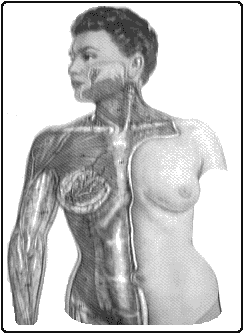
When medical students learn how the human body works, they typically have at best a scale model made of plastic. In more advanced models, the student can remove various organs for closer examination. This appears to be a very effective and straightforward method for learning anatomy. The problem is that everyone needs such a model to learn equally quickly, but these models are far too expensive. Another complication is that they take up excessive space.
The advantages of implementing a human or animal body within a VR environment include our ability to easily create automated simulations. It becomes simpler to demonstrate surgical procedures (all students see exactly what the surgeon sees) and disease progression. These same advantages can be achieved using strategically placed video cameras during operations. The problem is that we need a patient (living or deceased) with the exact same condition being taught in order to achieve accurate "mapping."
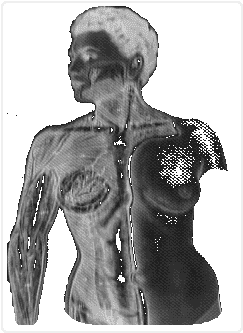
Tomography is an advancement over conventional X-rays. The patient is "scanned" in multiple high-resolution slices across all planes. Conventional X-rays are relatively blurry because the photographic plate receives X-ray beams passing through much thicker layers (poor depth resolution). The advantage of using tomography is that a three-dimensional image can be easily generated.
When today’s CT scan users examine the patient’s interior, they do so on a simple monitor. In the best case, the computer software may be designed to display a homogeneous three-dimensional image of the patient’s diseased region. If we enhance this visualization with a high-quality VR environment, doctors will be even better able to identify potential surgical issues and thus perform safer and faster interventions. Medical VR environment does not need to be as comprehensive as the strong foundational definition, but vision and tactile sensation must be present. For pathologists, smell may also serve as an aid, but it is generally not required. I have no knowledge as to whether ENT specialists need to hear as their patients do. Training medical students in a VR environment should provide them with better medical knowledge and, hopefully, healthier patients.
Spaceflight


sooner or later, humanity will need to expand its horizons because our planet will no longer be able to meet our needs. This can be achieved by exploring numerous celestial bodies throughout the universe. A "small" problem is that the most interesting celestial bodies are located at such great distances that it would take centuries to reach them with today’s spacecraft. To solve this problem, we could increase the speed and acceleration of spacecraft. However, since the human body cannot withstand high accelerations/decelerations (lethal above ), spacecraft cannot reach maximum speed or decelerate within reasonable timeframes.
A solution to this physiological problem is to not send any humans at all. Now, the speed problem becomes significantly less critical, since technical equipment can withstand much higher accelerations than 10g. Unmanned space missions have already been carried out in the form of NASA’s Mariner (1962–1973), Pioneer (1972–1973), Viking (1975), and Voyager probes (1977), as well as the Soviet Union’s Venera (1967–1975) and Mars space probes (1971) [20]. These missions captured only distant images, allowing us to discern only very large surface objects. It should be added that the Viking probes collected "earth" samples and took highly detailed images of the Martian surface. All this is good, but not good enough (even though humans have walked on the Moon). Humans have always wanted to explore unknown places and routes. A typical example is Columbus, who explored the unknown in a "commendable" manner. What drove explorers was their desire to see the unknown with their own eyes. If we instead let our future space probes capture highly strategic images to form a VR environment, we will more easily be able to explore potential terraforming (Terra=Earth -> Sw.=Earth-shaping). The full VR definition is not needed in the initial exploration of celestial bodies (only sight and taste are necessary), but once mapping is complete, the full definition must be used. Note that we cannot have communication between the space probe and the VR environment due to time delays being too great, thus making real-time feedback of our movements impossible.
Entertainment
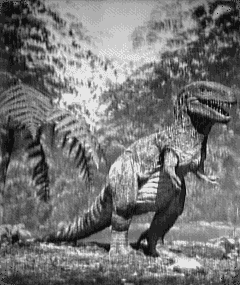
To escape the heaviness of everyday burdens and lighten the mind, most people require some form of entertainment. Most wish to lose themselves in a dreamworld either in book or film form. As early as the beginning of the 1980s, filmmakers attempted to use computer-generated environments in their films, primarily in movies such as "TRON" and "The Last Starfighter". The problem with these films was that the computer environment was very unrealistic and did not fool cinema audiences' eyes well. More recently made films such as "Terminator 2" and "Jurassic Park" have achieved this much more successfully. Although filmmakers have not yet reached the ultimate boundary of the number of "realistic" fantasies that can be created with two-dimensional film, I can confidently write that renewal within the industry is required. To enhance the illusions, a three-dimensional rendering and immersive high-quality audio are required. In a later stage, scent should also be implemented. This VR environment has the most demanding requirements, as the general public is highly skeptical of computers and their impact on human perception. Therefore, high quality is of utmost importance for ordinary people to accept the illusions.
A drawback of having overly realistic illusions is that they can mislead people into believing things that are not accurate. Unfortunately, many people will use VR environments in conjunction with some form of drug to enhance the illusion effect. This, combined with significantly reduced physical movement by users, can lead to major social problems. Scientists working on VR environments should inform the public—especially those involved in film and advertising—about potential social issues before these systems are released to the general populace.
Military
All good things can be used for harmful purposes, and VR environments are no exception. Since time delays on Earth are relatively small (maximum around 70 ms), we can easily achieve real-time feedback of our movements. This means we can remotely control mechanical robots in enemy territory without being physically present. In newer forms of warfare, we could realize the battlefield within a fully immersive VR environment and allow those interested in humanity’s decline to engage in it instead. These individuals could then vent their aggression through various slaughter missions before returning to "normal" life. How well this military VR environment should be designed to maximize its preventive effect can be debated, but it would likely require excellent visual and auditory immersion.
Simulators
Car, air, and boat simulators have been on the market for some time, and these are prehistoric VR environments. Flight simulators, for example, have existed since 1929 [21]. The reason I call them prehistoric is that the user sits in a functional replica of the actual command bridge. This is admittedly beneficial, as it provides perfect mapping. However, we rely on mechanical switches that take up a lot of space and are expensive if they are to be reliable.
If we transition to a fully digital control system (which is very challenging), we can design the human-machine interface much more simply—both in the VR environment and in reality—so that many more people can operate the equipment. Hopefully, learning complex scenarios will become faster and easier. We can expand the use of VR environments and implement them alongside existing command bridges to eliminate visibility issues such as "blind spots."
Today’s gyms feature various equipment designed to improve health. These are boring to use over the long term, and a "lazy-lazy" user (like myself) puts off using them as long as possible. The solution is to go out into nature and begin one’s health regimen there. In tomorrow’s society, population density will be so high that we won’t have sufficient space for recreation in the natural sense. Will humans then need to be confined to a room and perform their health routine while staring at a dull wall? Let the physically active part of the population engage in sports within a VR environment tailored to the user’s personal physical strength. In this environment, everyone will be able to run at the same speed—visually, within the VR setting. If the user finds it enjoyable to have a slight advantage to increase engagement, the VR environment can be programmed accordingly. I believe that most people who dislike exercising are overly focused on winning, and when they realize their poor fitness level while "competing" against others, their motivation breaks down and they quit sports. Personally, I see VR environments as a savior in this issue. These VR environments require sight and hearing to achieve sufficiently realistic simulations.
Computer Aided Design
Architects and mechanical designers currently benefit greatly from computer-graphic visualizations. They can see their designs before they are built and, if the software permits, test whether the structure holds up and functions properly (e.g., IGRIP on Silicon Graphics machines). In concert hall construction, the acoustic aspect can also be considered, and auralization can be achieved with the right software and hardware. These tools greatly facilitate the process, minimizing costly redesigns and construction errors. To achieve the best possible conceptualization, we should strive for a more perfectionist realism through VR environments that offer users a more imaginative and self-actualizing creation.
The Programming Environment of the Future
In the pursuit of ultimate usability, VR environments may well be a step in the right direction. Today’s programming environments suffer from significant drawbacks that we may not notice when using them for short periods. The requirement that everything be visually uniform will, sooner or later, give the user a taste of monotony. Those who have programmed for more than 16 hours straight may occasionally feel a certain dullness at the computer, which need not stem from poor diet or infrequent bathroom breaks. In fact, the computer’s interface with humans is dreadfully boring because the content on screen is static. A preventive approach could be to work within a VR environment during development, where visual effects provide encouraging signals to the brain. Employers need not spend money on furniture, flowers, or large workspaces; instead, the VR environment (large high-resolution Liquid Crystal Displays on walls connected to a VR computer) can be tailored to the user’s taste.
A further evolution of the user interface would be to let brain activity control the appearance of the interface in order to maintain the user’s attention and mood. The problems today solved by computers require large programming teams. Members of these teams should have similar tastes regarding furnishings and ambient music if they are to work effectively together. I have personally observed this across various workplaces over the years. The advantages of being in a VR environment are that members do not need to be located in the same place and can choose their own equipment and music. This will lead to an efficiency gain, as everyone gets what they want and therefore feels much better. Why do we need VR environments to solve this? The same could be achieved with today’s technology in a two-dimensional digital world, but the lack of "three-dimensional" human interaction will become a major problem sooner or later. We do not need the full VR definition in this environment, but vision, hearing, and haptics must be implemented.
Music Studio
We can greatly benefit from implementing tomorrow’s music studio in a VR environment. The first thing the sound engineer does is place various musical instruments (actually sound-generating objects) within the self-modeled virtual room. After placement, she determines which voice each object should play and with what intensity and character. To increase interest and reduce predictability in the musical piece, she can then let the instruments wander around the room or change their character over time. Musicians from all over the world will be able to perform in a virtual concert hall while still sitting comfortably at home (Musician Thomas Dolby is attempting to realize this idea).
This VR environment will also be of great help to the film industry, as it will become easier to edit sound effects into films. Although today’s high-end cinema films use Dolby Surround (not the same Dolby as above), which resembles this VR environment, most still suffer from significant audiovisual shortcomings. To achieve the highest possible sound quality, this VR environment must place strong emphasis on auditory criteria in its definition, but vision should also be implemented to facilitate handling.
Main Problem


Das also war des Pudels Kern!
Johann Wolfgang Von Goethe
In this chapter, I describe my thesis by first defining the problem. This is followed by an analysis of the problem in its most important sub-components. Finally, I briefly cover various programming methodologies. This thesis primarily concerns audio ray-tracing in VR environments and the implementation of such a system. This idea is not entirely new, as some key components were established on a solid foundation back in 1992 [22, 23, 24, 25].
The audio ray-tracing methodology itself has been known since 1967 [26], and has recently begun to attract the interest of numerous researchers due to increased access to more powerful computers. My perception of the available literature (very scarce compared to video ray-tracing) in this field has given me the impression that very few people are actually developing algorithms for audio-based VR environments.
At first, one might hold the naive assumption that solution methods are identical for video and audio ray-tracers. However, the initial chapters reveal the challenges inherent in sound propagation calculations and the possible approximations we can make. The actual implementation was assisted by Amiga system manuals, various C programming books, and a GUI builder (see Books, Software & Hardware).
Problem Statement
Currently, video ray tracers for personal computers (particularly for the Amiga computer family) are very common, but audio ray tracers do not exist in similar abundance. Commercially available options are either nonexistent or prohibitively expensive. Programs such as Odeon and Computer Aided Theater Technique (CATT), which are available for IBM-compatible PCs, are both extremely costly and far from user-friendly. This fact, combined with today’s growing interest in VR environments (see the previous chapter on Virtual Reality), indicates a strong need for an audio ray tracer that is both fast and easy to use.
What should be included in a ray-tracing program is a simple graphical 3D editor, the ability to define object materials and types, and the capability to make objects follow predefined motion paths. The graphical 3D editor could be implemented with highly sophisticated features such as "beta-splines" and "hidden surface removal." However, creating the perfect 3D editor has not been my primary goal; rather, its usability has greatly shaped the program’s design. For an audio ray tracer, object materials can be tied to surface absorption properties and directivity. The different types of objects may include furniture, transmitters, and receivers. Motion paths should encompass both morphing (deformation) and translation in all three dimensions (the reader is reminded of the strong VR definition). The program must handle the above features with simplicity, so that users are not hindered in their creative abilities or deprived of valuable free time. The visualization found in all video ray tracers should also have a corresponding equivalent in an audio ray tracer, which we call auralization. This term has been adopted as the de facto standard by Chalmers University of Technology. Given the extreme computational power required for auralization (as demonstrated in "Computational Aspects of Digital Audio") in conjunction with the limited hardware typically found on personal computers, this goal is not the primary focus—but it remains in mind for future hardware implementations.
An essential component of auralization is the ability to sample existing rooms using Dirac pulses for use and comparison in computed impulse responses. This part is too simple to implement, and I mention it here only as a possible extension of my program. In fact, it is already implemented, since I can leverage the large number of available sampling programs and run them in parallel with the audio-ray-tracing program.
A highly promising and fully realizable idea is to enable two personal computers to communicate with each other while users are immersed in a shared audio/video environment, serving as an early step toward future high-quality VR environments. I have considered this aspect, but since a computer scientist’s core area of expertise does not lie in hardware construction, I have omitted this idea from this presentation. The solution requires faster communication than conventional serial transfer. Parallel transfer is feasible, but it would be approximately 8–32 times more expensive (depending on bandwidth), and therefore this solution is not a viable option. The following idea has also been omitted because the American hardware vendor has gone bankrupt. By using special glasses (essentially two single-pixel Liquid Crystal Displays) that alternately allow every other image from the computer monitor to reach each eye, we can create highly realistic three-dimensional images to enhance usability in the 3D editor [27, 28]. In fact, the hardware is quite simple to build oneself, but again, a computer scientist’s primary forte is algorithm development.
Furthermore, an audio ray-tracing program could be an excellent tool for improving the acoustics of existing rooms. This is achievable if appropriate approximations are implemented in the program to simulate sound propagation, provided we disregard the stringent demands of audio-based VR environments, whose primary tenet is real-time feedback.
The choice of computer is fundamental, and as a computer scientist, one must demand a robust operating system supported by good hardware. These criteria should not allow the economic aspect to be overshadowed, but rather pushed to its forefront. Computer capacity should be utilized to such an extent that the efficiency of algorithms is demonstrated in the simplest possible way with the minimum possible resources. During development work, at least "preemptive multitasking" is required for the programmer to work effectively. A form of "Infinite Stream Of Consciousness" emerges when using these systems. The use of large workstations for this thesis project would have been easier, but their computational performance masks poor algorithms. As I am a fervent opponent of slow graphical interfaces and inefficiently programmed pseudo-operating systems, I have chosen Intuition with AmigaOS as the foundation—my favorite environment—for realizing this thesis project. This thesis is also a natural continuation of Amiga machines’ leading VR tradition. The only thing I possibly find lacking in AmigaOS is its memory management, since it was not written for MMU (Memory Management Unit) hardware. The foundation of this lies in Amiga’s graphics helper processor (Agnes), which can move data within program memory. This, along with several additional helper processors (Denise, Paula, Buster, Amber, Ramsey, Gary, and others), is in turn the primary reason for Amiga architecture’s memory efficiency and speed.
This Amiga architecture (a true hybrid machine) has been commercially available since 1985 and, despite its age, remains a highly usable computer today. In the long run, however, it loses performance compared to larger RISC (Reduced Instruction Set Computer) machines. Therefore, I have not optimized certain algorithms in pure assembly. Algorithms written before 1989 are in assembly, but they are not used in the implementation because faster algorithms have since emerged (NOTE: my own).
Aside from computer choice, the programming language is a very important cornerstone. Complicated languages tend to generate inferior translations into the computer’s fundamental instructions (especially on CISC—Complex Instruction Set Computer—architectures), and it became very clear to me that Pascal (actually not complicated but less efficient than compiled BASIC on Amiga computers!!!), Modula-2, Simula, Cluster, and Modula-3 were not sufficiently efficient. Contemporary OOP (Object-Oriented Programming) languages such as C++ (Definition 2.1) and Oberon are not fully developed for the Amiga, and standard C++ (Definition 1.0) was too inefficient. The remaining possible options are assembly, DSPC (Denis Tumpic Structured Assembly Programming Code, developed 1986–1988 but not used in this implementation since RISC was emerging), and the C programming language. Of these, I chose C because it is a relatively simple and highly flexible language to work with. Anyone can program in C, since it is built from small building blocks and everything is permitted (when compared to the aforementioned "real" computer languages—excluding BASIC!). This puts the programmer’s discipline to the test, and I can confidently state that readable C programs are an art to write. From a purely programming-technical standpoint, my primary goal was to write a highly readable C program with explanatory text for complex constructs. This is of great importance in larger programming projects, especially when it is a solo project like this one.
Analysis and Implementation of the Problem
In the implementation section of this thesis, I have divided the problem into its fundamental structural components. These include the design of the graphical user interface, computationally intensive 3D graphics algorithms, sound propagation algorithms, reverberation approximation, auralization, and finally the computer architecture. These structures most significantly affect the program’s efficiency and design.
Human-Computer Interaction
The most we can hope for is that the oftener things are found together, the more probable it becomes that they will be found together another time, and that, if they have been found together often enough, the probability will amount almost to certainity.
Bertrand Russell
In this section, I write about the criteria required for good user interfaces. I also address the problems that arise during graphical interface rendering. Furthermore, I describe the sources of inspiration I drew upon for this work. These sources I have not explained in detail, but rather extracted original elements or development phases from them. Finally, I describe my implementation of the interface and attempt to analyze potential issues using the criteria defined in the foundational principles section.
Fundamental Principles
Modern computer programs are heavily dependent on their graphical user interface (GUI – Graphical User Interface) to survive in the harsh software competition. Users who do not immediately accept a program will quickly grow frustrated and almost certainly abandon it in favor of another with a better GUI. Simply put, the GUI is the most important aspect of any program; ultimately, the one who creates the most intuitive interface wins.
From a programming perspective, GUI development is the most time-consuming part to implement, and numerous "mock-ups" are created and discarded before a final version emerges. In reality, the GUI is never truly finished, as we can always improve it ad absurdum.
How do we create a good GUI? This is a simple question with an extremely complex answer. In the following discussion, I do not consider differences between various cultures. Nor have I taken into account individual subjective preferences, as unfortunately we cannot please all users. What characterizes a well-designed GUI is good mapping, fast feedback, and simple adaptability. These criteria are not the only ones in use, but they are undoubtedly those with the greatest impact. Furthermore, interactive reconfigurability (such as moving controls during program execution) in a GUI can facilitate simple subjective preferences, leading to happier users in the long run. This is partially implemented in MUI (Magical User Interface, developed by Stefan Stunz and currently freely available as Amiga public domain), which is an extension library to Intuition.
Good mapping is achieved when actions and reactions are simply connected. The best example is the mapping of the mouse to the on-screen pointer: we move the mouse in an arbitrary direction (currently two-dimensional), and the pointer follows in the same direction on the screen. When we activate buttons or other program parameter controls in the GUI, the reaction should be visualized in close proximity. If local visualization is not possible, attention-grabbing effects should be used. This latter solution is not preferred, but unfortunately necessary in some situations. Quick feedback is arguably the most challenging criterion, as it typically requires good hardware. In today’s era, hardware issues are minor, but flawed GUI implementations can render even the most spectacular systems unusable. When a user performs an action on the GUI, the response should, if possible, be triggered and visualized immediately. If immediate activation is not feasible, the user must be clearly and simply informed via visualization that a calculation is in progress. Something that enhances usability is graphically indicating the remaining time for the computational task. I discussed real-time feedback in the previous chapter, and by this term I mean immediate feedback with a local mapping, regardless of (polynomial) computational complexity. This is very difficult to achieve but remains a goal to strive for.
Simple adaptation depends heavily on the user’s prior experience with computer interfaces. If previous interfaces have been designed in a uniform and consistent manner, the learning time for the new application will be minimized if we design the interface in the same spirit. Uniformity can easily be achieved by examining other applications within the same domain and “copying” their appearance. This solution may seem somewhat barren since it involves no innovation. Innovation—learning from our past mistakes—is crucial in all forms of design work. Therefore, GUI developers should only “copy” the most fundamental elements to maintain consistency. The more specialized units should be implemented in a logical and visual manner similar to the basic units. The user should not be burdened by numerous program function transformers. These should exist in the smallest possible number but with the greatest possible functionality. Their functions should be visually represented simply, either via icons (graphical symbols) or text. The problem with using icons is that users must memorize their functions—especially if they are poorly designed.
The size of icons is directly proportional to the user’s perceptual ability. This is a problem because computer screens are not infinitely large. We can either increase screen resolution to accommodate more graphics and finer icons, or replace icons with simple words. Sentences can also be used, but they often become too long; extensive use of this approach will reduce the user’s operational speed because reading sentences takes significantly longer than recalling a function associated with an image. As the saying goes, “A picture is worth a thousand words.” A more modern twist on this theme might be: “A good visualization speaks louder than millions of books.”
It is often necessary to divide the GUI into several larger, cohesive blocks. If these different blocks have similar functions, their program function transformers should be placed such that logically equivalent functions appear in the same location across all blocks. This consistency is a fundamental principle and is critically important to pursue in GUI modeling. When an application lacks internal consistency, users will ultimately be forced to abandon it. Consequence is a major factor in usability, and this is very important for everyday users who wish to work efficiently. Uniformity can also be called global consequence (something I find too strong a criterion), and consequence can also be termed local uniformity (something I find too weak a criterion). Whether we should strive for global consequence is debatable, but to avoid monotony, there should be considerable freedom for personal interpretations of perhaps more apt metaphors than those currently available in the machine in question.
Interactive transformability can be implemented to varying degrees, but excessive transformability makes the application user-dependent. This is an acute problem if the fundamental metaphor can be altered, and should indicate that we should not implement this to absurd extremes. We can allow users themselves to determine where program function transforms should be located and what functions they should have.
If we let this idea extend further, we could also allow the program to be controlled from an external program or hardware. In reality, the external program/hardware uses the slave program as a library of entirely "ordinary" functions. This idea can be implemented, for example, with AREXX (in the Unix world it is called REXX), and the slave program can become as sophisticated as desired. If we are to require full interactive transformability in the application, we should demand a very good computer architecture; however, today it is frustrating to use such systems because usability becomes slow over time (computing power quickly diminishes). Even though this is a fact, we should strive to realize this idea in the near future through good algorithms and quality hardware. What may be the most crucial aspect—and what users first notice—is whether they can undo a wrong decision. A novice user is doomed to fail during their initial stumbling steps in the application if the GUI is inconsistent. Mistakes by an expert user can easily be undone, and they do not lose confidence in the machine. Trust in handling is especially critical for safety-critical applications, such as those found in nuclear power plants and aircraft.
The central question is how deep the "undo" capability should be. In the simplest systems, users can undo only the most recent transformation; however, in better and more complex systems, an "infinite" undo depth is required. Naturally, memory considerations come into play in these implementations. We can solve this problem by allowing the user to determine the undo depth at runtime. If we make the undo depth virtually infinite, users should be able to scrub through the undo stack across all related GUI instances during program execution.
Something that further complicates the handling of computer software is when its GUI is designed in such a way that the program is divided into modal dialogs. This can be extremely dangerous and may make users feel trapped. It restricts creativity and renders interaction clumsy and inefficient. The challenge with implementing a modeless GUI is that program complexity grows dramatically, and debugging becomes vastly more difficult. It is not the actual program code that expands, but rather the degree of independence among related functions, which must be total. To test all possible combinations by which we can alter the program flow requires exponentially more work (n transformations yield n! distinct transformation combinations). This, combined with the fact that we can easily prove that it is impossible to construct a program that determines the validity of another program, partially confirms my assertion that a complex GUI is never truly finished. All beginners, and possibly some expert users, will wonder what all the program function converters are for. Most will skim through some form of instruction manual, but after a few uses, this will become worn out. The solution to this problem is to provide an electronic manual that users can refer to when problems occur during program execution. This exists in Amiga OS in the form of Amiga-Guide, which has been around since 1988 and is a hypertext-based help system. This is not a physical but a logical part of the program. We can also implement "instant help" messages positioned in such a way that users can easily find them directly within the application. Typically, we place these "instant help" messages in the application’s main window and update them as needed (immediate feedback is a requirement in this solution). The interface's language toward the user can sometimes be a barrier. Since it was an English-speaking country that first defined a computer language and built the first hardware, the foundational language of computers (both hardware and software) became English. Back then, users were mostly scientists who could speak English. Nowadays, users are not always scientists, and most of them cannot speak English. This creates a major problem, as a user who does not understand the text on the screen may in the worst case abandon the application. Another argument against using a single language for all interfaces is the poor translations (user-generated) that commonly occur. Some typical examples are "save" (sejv, which should actually be "spara") and "load" (leåd, which should actually be "ladda"). These expressions spread like wildfire, and the user group for the application will develop a "pidgin language" alongside the original language. These pidgins can sometimes cause this group to be perceived as if they originated from outer space. A solution to this problem is to design the GUI in such a way that it becomes easy to switch the base language. This has been solved in Amiga OS using Locale (implemented as a library), where we specify which language and country we are using or residing in. Then it is up to the application (if the programmer has implemented the locale instance) to use this setting.
Inspirational Sources
Since there was such a vast array of video ray-tracers available for the Amiga, I have primarily examined their interfaces for inspiration. In early 1987, Sculpt-3D was already quite advanced, though its editor was slow—even though it displayed the model world in "wireframe." Wireframe means that only the edges of objects are rendered, allowing us to see through them. The user could determine their viewing angle in each of the three pairwise orthogonal views. Zoom, perspective, and various other convenient features were also available. The requirement to create animated sequences from the rendered images necessitated a fundamental restructuring of the program, such as implementing motion blur. The program eventually changed its name to Sculpt-4D. However, the editor remained just as slow, making it hopeless to use for larger drawings.
These programs were among the first to appear on the Amiga and featured relatively good user interfaces. One program that is not a ray-tracer but well worth noting is Videoscape. In this program, the model world was visualized with actual surfaces, and users could also create simple animations. Even in this program, handling became cumbersome for larger designs. It should be noted that by "cumbersome," I mean in Amiga terms. To clarify: a 3D editor is heavily dependent on how quickly graphics can be rendered to the screen (in fact, any GUI overall) and how fast vectors can be transformed. The transformation itself must be handled by the main processor unless the graphics processor has built-in routines for this. The Amiga’s graphics processor (Agnes) does not have vector transformation built in, but Bresenham's line algorithm is hardware-implemented. This provided a significant advantage, even though the earliest Amigas used a simple MC68000 (Motorola’s foundational chip in the MC68K family) as their main processor. This concept has also been adopted by more advanced graphics computers that have appeared in various contexts. These systems have implemented real-time texture mapping and z-buffering in hardware, along with very fast RISC main processors from companies such as MIPS. Silicon Graphics machines (the company SGI was founded in 1982) are particularly known through the film industry’s Industrial Light & Magic (see chapter on Virtual Reality) and for their hardware acceleration.
The first professional program (which began with very limited resources) was Caligari, and it was highly intuitive. In this program, the user had a view to observe the model through, and could choose between solid (very slow in terms of speed) or wireframe visualization (acceptable in terms of speed). In Europe, however, this application did not gain traction because the market was too limited and poor. Caligari’s user interface was superior to contemporary applications, as its operation was simpler and real-time feedback was excellent. We could move 3D objects in real time like ordinary icons. Early on, Amiga’s video ray-tracers became an "industry standard," especially in the US and Canada, but the market demanded a better program. The application that underwent a major aesthetic overhaul from its earlier implementation in Intuition v1.0 to Intuition v2.0 is called Imagine.
I consider this program series a poor evolution of the early Sculpt programs, even though they are more usable. The reason I feel this way is that their GUI has become overly cluttered and cumbersome when it comes to defining materials and motion schemes. A person without much patience will quickly abandon this program series. Despite these issues, the application is widely used among TV advertising professionals in America. My favorite program in these contexts is Real-3D (RealSoft from Finland). The original version was implemented in the old Intuition v1.0 and built upon the same metaphor as the Sculpt programs. The main difference was that the views were implemented in non-resizable windows, and each view had fixed camera angles that could not be altered. What we saw were the model’s three views (top, side, and orthogonally perpendicular to these) alongside a list of the model’s objects in a hierarchical tree. Beside this list were several icons for quickly defining objects within the model. These icons were highly ambiguous, and users frequently selected the wrong base object. From this perspective, one might assume the program was difficult to use—but the reader would be misled. This program was actually very easy to work with, and a first-time user could produce something meaningful within the first five minutes.
What the initial implementation failed at was the animation component. It was far from well-mapped, and the intermediate results (data containing the animation sequence itself, not the final rendered graphics) suffered from appalling redundancy. These problems disappeared with the introduction of Real-3D V2.0, which was based on Intuition v2.0 and brought a much-desired aesthetic upgrade. Unfortunately, simplicity was overlooked in this process, resulting in the program attracting only a very specialized group of users. These users eventually became experts, but by definition, this does not sound like the hallmark of a well-designed GUI. The program is linked to Amiga-Guide and therefore even a rare user has considerable help despite everything. "This doesn't solve the problems, but some help is better than no help at all, and the program can still be used—though not efficiently!" This quote came from a rare user's silent complaint. Something that does not exist in other programs is a simple functional language (of Lisp type), which notably facilitates the creation of motion schedules. With this mini-language, we can easily apply our own physical laws to objects. This gives the user interface both a positive and a negative direction. Positive, because it becomes easier to realize real-world processes. Negative, because the metaphor involves high-level programming and mechanics knowledge, which may cause a science-averse user to have an allergic reaction. Hopefully, this will change significantly in later implementations.
The largest and most expensive—sometimes the best—video ray-tracing program is called Lightwave. This program is a major evolution of Caligari and features its own entirely unique GUI. It does not use the Amiga standard GUI, which I personally consider a significant drawback. The actual 3D editor is fast and very convenient to work with. The problem with this application lies in its modes: users are not alerted when a mode switch occurs, which can become incredibly frustrating. Even the definition sections for objects, materials, and motion schedules are extremely cumbersome, provoking reactions even from users with years of computer experience. Perhaps expert users are much more tolerant, but this does not reduce the problems. Lightwave has been used, for example, in the TV series Babylon-5 and seaQuest DSV. Other video ray-trace programs (even on other personal computers) available in the same price range (between 5,000 and 50,000 SEK) are not even worth mentioning here, as they suffer from far greater shortcomings. For those who today wish to be impressed, Silicon Graphics machines should provide this experience through the IGRIP and Elastic Reality programs. However, these applications are very expensive and not targeted at the general public.
My Solution for Windows
I have chosen English as the program's base language. Translation to Swedish and implementation of locale usage is simple but time-consuming. The central part of the program is the 3D editor itself, and therefore the window "3D View & Edit" is the main window. The user will likely spend most of their time in the 3D editor, and thus this solution feels sound. Most of this window visualizes the drawing in three dimensions (currently only wireframe), and the rest of the graphics area is sparsely filled with a few important transformers. In this window, I have implemented "instant" help, positioned at the bottom, which displays the most recently performed function.
The model itself must be rotatable in space, and I have implemented this rotation as the "Hand of God." I use this term because the model is realized as an object composed of objects, rather than a world composed of objects. In reality, these implementations are equivalent, but the ways to rotate the model are vastly different. Imagine rotating the lecture hall instead of walking around inside it. Personally, I believe this solution provides a better mapping, since the user remains at the computer during model rotation. While this approach is not ideal for future development toward a proper VR environment, the core code remains identical in both implementations, so the work is not wasted. I have placed the model-rotating transforms near the model visualization window, which provides a stronger mapping than placing them in a separate window. This solution may appear suboptimal because the mouse cursor is not positioned where the model is (i.e., poor mapping). However, the screen is only two-dimensional, and implementing invisible functional transforms to facilitate rotation in the missing dimension would result in far greater mapping errors. The rotation transforms are implemented as "sliders," oriented along the directions of the world axes (X-axis to the right, Y-axis upward).


The issue with the Z-axis is that Amiga's standard transforms (Intuition v2.0) do not support circular sliders, so I was forced to use a linear slider for this axis. There are two possible placements for the Z-axis slider: either below the Y-axis or beside the X-axis. I chose to place it below the Y-axis, as shown above.
The problem with using sliders for rotation is their end limits. At the endpoints, further rotation in the endpoint direction is impossible, which can be frustrating. I solved this by placing small reset buttons—visualized as an "o" representing the origin—at all endpoints. When the user clicks a reset button, the slider's "knob" (Swedish: skjutknapp) is repositioned to the midpoint between the endpoints. It might seem like a good idea to have the mouse cursor follow during these resets, but allowing the cursor to jump can feel disorienting; therefore, I did not implement this feature. Another detail is that the model must rotate in the same direction as the slider knob's movement. Since I only have one visible view, a few shortcut buttons are required to provide the most interesting and highly useful views of the model during modeling. I call these buttons "Fast View," and they transform the visualization into top-down, side-on, orthogonally aligned, and bird’s-eye perspectives. Without these buttons, modeling would have been impossible. The speed of transformation for Fast View is critical in modeling, as it is heavily dependent on these buttons (see 3D graphical algorithms). The reason I have only one view is to minimize graphics rendering. With multiple views, we would need to update each view whenever an object is moved. This reasoning shows that computation time—given the need for good feedback—would become as many times longer as there are views. I cannot afford this extravagance, and moreover, multiple views can sometimes be extremely confusing.
Typically, we are able to contemplate the model at various scales, and this is also possible in this software. Here too, I have solved the problem using sliders. Again, there are two equivalent but entirely different-feeling ways to map zooming in and out: either an upward motion can indicate zooming out (we push the object away) or zooming in (we bring our head closer to the object). In accordance with previous reasoning, I should have implemented the former form, since the user remains seated at the computer. However, I did not do so because such a mapping felt wrong (i.e., inconsistent). Even though this is inconsistent, it is deeply logical, and users should not immediately notice it. The implementation of the zoom slider introduced an additional problem that occurred at full magnification. My first solution was to implement the slider using an exponential function. This resulted in significantly poor mapping, forcing me to abandon the concept. A less poorly mapped implementation involved adding an extension at the upper end (visualized with +), which toggled the slider between coarse and fine adjustment, and vice versa. Even this solution is essentially flawed, but placing two functionally identical sliders side by side causes greater confusion; thus, I implemented the additional button.
To increase realism, we can visualize the model in perspective form. Two parallel lines, receding from us, converge at the point of infinity (in this case, centered on the model visualization area). Like previous transforms, I used a slider to increase perspective at higher positions. The basis for this mapping is partly that the faders on mixing consoles (the analog equivalent of sliders) provide less attenuation at higher positions (higher signal strength).
Within the model visualization area, I also display the model’s ground plane using a 3D grid. This grid can be configured via circular menus to use the unit and spacing that feel most appropriate for the current task. The actual scale ("measure") can be set in meters, feet, or disabled. When disabled, the 3D grid is not visualized. The grid can have different sizes ("grid size"), enabling the world to be modeled in subdivisions. This feature is most often used when defining objects that will appear in multiple drawings. It is usually a good idea to minimize manual number entry, and in this context, this approach seems sensible. To clarify the model’s orientation, I have exaggerated the sizes of the main axes and added X', Y', Z' at their positive endpoints. This addition is primarily because the world’s main axes are static, and this avoids poor mapping with the names of rotation transforms. The objects in the model are visualized using a pushpin at the object's center of rotation. The user determines the location of this center themselves when defining the object. When the user wants to move a specific object, they select it by placing the mouse pointer over the pushpin head and clicking the mouse button. The mouse pointer disappears, and the entire object becomes the cursor, bypassing perspective issues (where objects closer to the viewer move faster than those farther away). Another visual clarification is that the model area is pressed into the screen, indicating that the object has been picked up and the rest of the model is stationary (i.e., "the object has been lifted from the model"). When the user releases the mouse button, the object is placed at the position that was visualized.
Objects are moved within the plane that the screen displays. This forms the basis for the first three fixed-view buttons. Planar movements are preferred because spatial movements become awkward and poorly mapped—at least in the implementations I created, with features like helper shadows. To reduce clutter commonly seen in wireframe models, I render the pushpins last in the visualization. This ensures that all pushpins appear on top and no object obscures another object's pushpin. In complex drawings, these pushpins can become very cluttered (overlapping each other), making it unclear which pushpin belongs to which object. Even simple two-object models can become ambiguous because the objects' pushpins may project onto the same plane. I will return to the solution for this problem later, as it is part of explaining a subwindow called "Drawing-Pool". Our objects should be easy to shape and rotate. One possibility is to make translation, rotation, and scaling separate modes in the program, or to have a dedicated handle for each unit. Modes are completely excluded, and three handles per object would be too cluttered. If we could solve this with a single handle, it might be feasible. However, the mapping errors that arise (we lack a dimension) are so significant that I was forced to abandon this solution (to my dismay).
Caligari and Lightwave have implemented this using modes plus an invisible handle, but I failed to use these in a satisfactory way. Therefore, I have implemented size and rotation transforms of the slider type for this purpose. These are only available when the user has selected an object. When a transform is unavailable, it is displayed as grayed out. The user can adjust the size along the object’s principal axes, and rotation of a specific object is mapped equivalently to the entire model. The key difference is that all rotation transforms are oriented in the same direction. This indicates a poor mapping, but the design was disrupted by asymmetry, and I settled on this solution. The size transforms are also oriented in the same direction, since the object's orientation in the model does not need to match the physical orientation of the non-prime world—in this case, the monitor. To clarify the object’s orientation in the model, I visualize an “orienter” that shows the direction of the object’s principal axes (X", Y", Z"). During size transformations, the user must be able to confirm they are scaling in the correct direction. Although these transformers are not located near the actual transformation area, they can still be used relatively effectively. When the user selects and moves an object, the object’s position in the model (in the default unit) is displayed at the bottom of the “instant” help. During size changes, the object’s dimensions (Width, Height, and Depth in the default unit) are shown in the same location. If the user has turned off the 3D grid, the object’s needle markers are not drawn, resulting in a cleaner visualization of the model. Since the object needles are not visualized, the user cannot accidentally select any object. This is a deliberate safety measure.
The user does not need to select a specific object (by placing the mouse pointer in the needle area), but can instead grab the entire model (any other location within the model visualization area) and move it within the projection plane. Difficulties easily arise with this function when repeated rotations are followed by translations. Our head remains fixed while everything else moves around us, which makes it easy to rotate the model outside the view window and never see it again. Therefore, I reset the model’s rotation center to the origin during model rotation to prevent disorientation. Translation of the model followed by an object selection will not trigger a reset of the rotation center. This makes it easier to position, rotate, and scale peripheral objects—especially when we have a very strong perspective. Most transformer names are abbreviated in some way, but the measurements and grid size transformers' names for the 3D mesh are full ("Measure" for measurement and "Grid Size" for grid size). The problem of using abbreviations is not new, and when they are particularly poor, comprehension becomes nonexistent. I call the model scaling transformer Mg (Magnification, commonly abbreviated as Mag.) and the perspective transformer Pr (Perspective, commonly abbreviated as Pers.). These may seem cryptic at first, but longer abbreviations created significant aesthetic issues in the design, since I don’t have an unlimited surface area to work with. I refer to the rotation transformers as X-, Y-, and Z-Axis, and these should not cause major comprehension issues.
Object size transformers (object sizers) are actually quite cryptic (SX = Size in X-direction, SY = Size in Y-direction, SZ = Size in Z-direction), as are object rotation transformers (object turners, AX = rotation Angle around X axis, AY = rotation Angle around Y axis, AZ = rotation Angle around Z axis). These abbreviations may feel a bit too terse, but excessive text hinders efficient usage. Users tend to read the label each time they use a transformer, even though they already know its function. This form of abbreviation implies some inconsistency, since in the earlier cases I used the first two consonants, while in the latter I arbitrarily picked initial letters from the full phrase. However, upon reflection, these abbreviations feel more appropriate, as they contain sufficient information.
The "Fast View" transformers are relatively intuitive in this regard, since their names indicate which view will be displayed (X-Y View, Z-X View, Z-Y View, and Bird View). These transformers would ideally have been supported by icons to clarify the view appearance, but drawing unambiguous icons is difficult in this case. An important part of model editing is how we divide up the various properties of objects and consolidate them in a simple way. We can create a computer-based model using E-R diagrams and build the interface based on these. In this case, however, diagrams or any normalization method were not necessary, since the objects consist of very primitive components. My solution is based on these components: shape, material, and motion scheme.


These primitives converge in a model coordination window that I call the "Drawing-Pool" (DP). All coordination windows in my program have "pool" as their surname. The origin of the name "pool" (puddle) is the "mess" that typically arises during coordination attempts—essentially, animals’ behavior around water holes on the savannah.
The main component of the DP window is a list where the various objects are enumerated. In this list, the user can select a specific object, and updates occur both in DP (clarifying name, type, material, and motion scheme) and in the "3D View & Edit" (highlighting the object in the wireframe model).
Previously, I wrote about the clumsiness of wireframe modeling, and I solved the selection problem in the following way. First, the user selects an object from the object list in the DP window. Then, she holds down one of the shift keys (though this is a poor mapping, since I don’t visualize how the user should act in these cases), indicating that she is holding the object with both hands (e.g., left hand on shift and right hand on the controller, or vice versa), thereby enabling her to position, move, rotate, or resize the specifically selected object. This function is deactivated the moment the user releases the shift key; however, if the user maintains pressure on the controller button, she retains hold of the object for moving. Next to the object list, there are buttons that facilitate the organization of model objects. In accordance with previous windows, the largest visual area is located in the upper left, and transformation tools for editing are on the right. Transformation tools with three dots after their name indicate that a prompting continuation will follow the action.
The function of the top editing button ("New...") is to create a new object in the model by using a prompt to ask which type of object should be added. The metaphor is that we are visiting a furniture store and purchasing furniture. Once the user selects the specific "furniture," it is always placed at the model’s origin, followed by an update of the main window's visualization. The newly created objects are not linked to specific materials or motion schemes. This is visualized with "NO TYPE AT ALL" (furniture type), "NO MATERIAL ASSIGNED" (furniture material), and "NO FLIGHT ASSIGNED" (furniture motion scheme) in the respective information areas.
The user can then select which material the object is made of using the "Select..." button aligned with the material display area. This button triggers a prompt asking the user to choose a material. Specifying the motion scheme works identically, except that the user is prompted to select a "flight path" instead. Once the user has selected these elements, they can name the newly created object in the model using the "Name" transformer. Renaming triggers an update of the object name list. If the model is to contain multiple objects with the same morphology and material, the user can copy already existing objects using the "Copy" button. Objects that are redundant or otherwise deemed unnecessary in the model can be deleted using the "Delete" button. Upon deletion, the object is added to the top of the DP window’s “undo” stack and can be restored using the larger "Undo" button. If the user wishes to delete the entire model, she can activate the "Clear" button, and all objects will be added to the “undo” stack. This feature is implemented solely as a consequence-promoting measure, since it already exists in the other pools (with much higher usage rates).
When the user, after some time of rearranging the model, wishes to return to the main object placement window, she does so by clicking the "Edit..." button. This brings the main window to the front of all other windows and activates it with the selected object in "highlight" mode. Color mapping of do’s and don’ts should, in fact, be avoided as much as possible. The reason for this is to ensure that color-blind individuals can also use the program. However, the DP window’s name list is the primary mapping through which the user should determine which object is selected. The clutter in wireframe visualization necessitates this solution.
The user can define custom objects by activating the "Drawing>Object..." button. This function converts the entire model into a single object consisting solely of its morphological structure. The metaphor here is that the creator sends their new piece of furniture to the furniture factory for cloning. The activation buttons are all text-based, as their functions are common and deeply ingrained. Therefore, I have not used icons for these, despite the significant space savings that could have been achieved and the potential to place icons in the main window. This design approach with large, "user-friendly" buttons and some surrounding whitespace also avoids certain clutter. Difficulties in placing and shaping buttons to minimize user errors can be reduced by positioning closely related functions closer together, and less related ones at significant distances. A button that does not follow these criteria is the "Undo" button, which should be placed closest to the most critical function and be at least double the size of the other buttons.
The object definition button may be difficult to interpret, as it assumes the user's familiarity with the "->" operator in linguistic contexts. This language operator means transformation of unit X into unit Y (X->Y) in this case. Logically, this definition makes sense, but whether the general user's perception intuitively accepts it can sometimes be debated. However, longer sentences are unnecessarily complex and, in my opinion, disruptive to the otherwise clean appearance (especially in this case).


The three object retrieval locations ("Object Pool"), materials ("Material Pool", MP), and flight schedules ("Flight Pool") are based on a custom question sheet type. This sheet type is hand-crafted and is not part of the "Amiga-GUI requester library". In keeping with previous designs, I have a list of names on the left, editing buttons on the right, and name transformers at the bottom. Their functions are identical to those in the DP window. The user must select appropriate criteria for the object from these retrieval locations and then confirm by clicking the "Ok!" button, or cancel if any misuse has occurred. These confirmation buttons are positioned according to the proper "Amiga requester layout". The definition of new units and modification of existing ones is currently only possible in the MP window.
When defining or modifying materials, a question sheet window ("Characteristics") opens, where the user defines various material properties. The properties, located at the top, are name, type (furniture, transmitter, receiver), and color (to be used in a future implementation with solidframe modeling). Below these transformers is a graph displaying the material's frequency characteristics. The graph shows the absorption curve if it is furniture, and the frequency response for the other types (transmitter and receiver).
Here, I adopt the concept that all objects can essentially be regarded as filters. In this graph, the user can freely draw the frequency characteristic; upon the first modification, the graph is "pinned" to the monitor to clarify that a change has been made. Since absorption coefficients are not measured across all frequency bands, areas not used in calculations are shaded.


Under this graph, the directional converters are placed. These are positioned beneath each frequency octave for optimal mapping. Here, the user can determine which directions reflection, transmission, or reception have at different frequencies (See "The Nature of Sound and Audio Processing" to understand the terminology). This query interface also has affirmation buttons at the bottom. In contrast to my earlier reasoning regarding the placement of the "undo" button, I have placed this one between the affirmation buttons.
It was aesthetically incorrect to place it next to the frequency graph (right side to maintain consistency). However, it still aligns with being located near larger transformative elements (even if not precisely adjacent). The design of the material definition window shares certain similarities with more advanced questionnaires. This metaphor, when properly designed, can become a very effective interface, as forms are deeply established in Western civilization.


When ray tracing is computed, a data visualization window ("Computed Data", CD) opens. This window is still in beta stage, as the actual implementation will reside within the auralization module. In the upper left corner, I display the parameters set for the ray tracer. These are described in the shortest possible concise English, as the graphical area is needed for more critical elements. A very important graph is the reverberation distribution, which shows reverberation times across different frequency bands. These times are calculated using Sabine's formula. Furthermore, the user can select a specific air humidity from a cycling menu ("R. Humidity"). While the computer calculates the ray path, successful calculations will be visualized in the echogram at the bottom of the window (amplitude dependent on ray path). A stack indicating how many calculations remain is visualized within this echogram block. Although this visualization is useful, I emphasize longer calculation instances by changing the mouse pointer's appearance. The arrow transforms into a clock if the user has set the standard option in "Pointer Preferences" (Amiga's pointer settings). Once ray tracing is complete, the user can select which receiver to visualize in the echogram using the cycling menu "Receiver".


To make life easier and more enjoyable for users, I have implemented a basic settings window. Here, the user can determine where her storage areas should be located for models, furniture, materials, motion schedules, and calculated ray paths.
The user can either type in the path fields or press "Set...", which activates a storage file requester. The application's base colors can also be configured if desired. The color selectors are of the standard Amiga-GUI type, meaning colors are divided into three components (R = Red, G = Green, B = Blue). These components are deeply integrated into Intuition and are used, for example, in "Palette Preferences" (Amiga's color settings). The user first selects a color and then adjusts the slider controls to the correct positions. Colors change simultaneously, providing fairly accurate mapping. In Intuition V3.0, there is a color wheel for improved mapping, but the challenge of acquiring the necessary facts to use this feature has forced me to implement the inferior version. At the bottom, affirmation buttons are again present, and in this case, they are somewhat more complex than before. If the user makes a mistake, she clicks the "Undo Edits" button as usual; if she realizes no transformations are needed, she clicks "Cancel." When the program starts, this window's settings are loaded and applied. Therefore, the user can save ("Save Edits") for future use until a new transformation is performed followed by "Save Edits," or she can proceed without saving the settings ("Use").
During longer modeling sessions, users will forget which "furniture store," "raw materials store," and "airline" they visited. Therefore, I have implemented an information window ("About Window") that displays these details along with the model's name. The availability of the two types of memory (fast and chip RAM) and the program developer's name are also shown. The three different types of objects that can exist in a model are printed to inform the user about the complexity of the model. These numbers are directly proportional to ray-tracing calculation time (higher numbers result in longer calculation times).


In addition to all these windows, there are numerous informational, affirmation, and query windows. I have implemented these to prevent users from making major mistakes—such as losing their model upon exiting the program. Figure 4.8 shows an excerpt of the additional windows available in the program, which users may encounter during "unattended" use. Query windows appear during all forms of secondary memory activity. These are Intuition's own "file requesters" to ensure the program is consistent with all other Amiga programs. One form of query window is those that require only confirmation (confirmation windows). We use these types of windows when the user is about to perform a major transformation (exiting the program, deleting a project, etc.). When switching models, object pools, material pools, or motion schedule pools, the application will ask whether the user wishes to discard any changes made. If the user attempts to fully exit or perform a complete reset of the program, this too will be questioned if changes have been made. In cases involving multiple changes, we can group the various units into a single window to provide better overview. The units should be listed in the same order as they appear in the program to maintain consistency.
Informational windows are used when a user error has occurred and may contain a more or less intelligent error message. In most graphical user interfaces, user errors are of a very minor nature and thus easy to formulate into an error message. However, the user errors that occur when loading program data from secondary storage are of a much more complex nature.
Since I save all data produced by the application in an editable format (the user can read the data in a standard text editor and modify it), users may edit errors. These errors must be detected and accompanied by an unambiguous error message upon attempted loading. I have only implemented calculation of the error's line number, which will be discussed later in "My Solution for the Workbench". Affirmation buttons should be of text type to minimize ambiguity. The standard to follow in Intuition is that the "fatal" transformation occurs when the left button in the affirmation window is activated ("OK!", "Quit Program!", "Erase Data!"). To avoid possible handling errors, the right affirmation button ("Cancel") is activated. This button should never change its text to minimize confusion. However, the fatal transformations (left button) become much clearer when we use specially crafted sentences for block affirmations.
When only one affirmation button is present, it should reflect the nature of the problem. If the user made a mistake, the button text should be in the "I" form to reinforce awareness that the user is at fault ("My Fault!"). This should make users grow to hate erroneous usage over time. The problem may later become that users grow irritated by the computer and its "know-it-all" demeanor.
Problems of lesser severity (e.g., incorrect software installation) that do not significantly impact the application should obviously not trigger these strong informational forms ("Never Mind!"). The basis for my choice of wording is that programs using exclusively the "OK" button inevitably enter an ambiguous stage, and changing the mistake button violates the rules. It should be easier to correct mistakes than to make them.


My Solution for Menus
Additional details that facilitate handling are menus. These exist, among other things, to avoid multiple key presses for different functions. Menu design should also follow the overall nature of the interface and be very similar to other programs. According to the Intuition standard, project transformations should come first, followed by editing tools, and then more program-specific transformers. Although multiple key presses should be avoided, they are implemented as a combination of the right Amiga key plus a regular key. This form is automatically visualized in the menu by Intuition. These features enhance user efficiency without compromising beginner-friendliness.
In each application instance, the user can activate the menu functions associated with the active window. We could implement local menus, which are specially designed for each user window. However, this would cause significant user confusion, as large visual menu changes within the application frame result in poor local consistency. I resolved this difficulty by making the menu a global menu. The problem with this solution is that users may activate incorrect functions in the wrong instances. To avoid these issues and guide users to the correct functions, I make unrelated menu functions inactive (grayed out) in all specific cases.
The functions implemented in the "Project" menu are: "New" (full reset of the entire application), "Open..." (loading of models, object pools, material pools, motion scheme pools, forward ray-tracing data, and backward ray-tracing data), "Merge..." (merging of models, object pools, material pools, and motion scheme pools), "Save" (saving of the model, object pool, material pool, and motion scheme pool without changing their previous names), "Save As..." (same as "Save" but with an optional name change from the previous name), "About..." (opens the "About Window" information dialog), and "Quit..." (exits the program with confirmation prompts).


Since this program is designed for larger teams working in parallel, dividing program data is crucial. Some team members model while others handle materials and furniture. Additionally, some may apply motion patterns to objects in the model that are ready. The "Merge" functions are intended for this purpose.
The functions available in the "Editing Windows" are solely meant to bring respective windows to the foreground and avoid screen clutter. The division into two sections is due to the fact that the three lower ones are of a question-type nature, while the top ones serve as primary editing windows.


The tracer’s parameters and activation are visualized in the "Tracer" menu. The accuracy parameters all use the same enumeration type ("High", "Medium", "Low", "Auto"), and their function names are consistently formatted. Although these functions involve longer text labels, they are of low-frequency user type. Users spend more time modeling than adjusting parameters; therefore, efficiency requirements are of minor importance in this case. In fact, this form of parameter configuration is undesirable because users lack an overview of the configured functions. Again, it should be noted that the ray tracing component is still in beta stage. The second section of this menu is for activating the ray tracing calculation module within the application. The third section is for visualizing already computed data.


Functions that do not fit elsewhere in the menus are collected at the end of the menu bar ("Miscellaneous"). This menu should not be labeled as a "junk menu" for superfluous functions, but rather should contain important features. Functions that are critical in my program include clearing specific "undo" stacks ("Clear >>", where >> indicates submenus exist) and opening the application’s default settings window ("Preferences...").
 )))
)))
 )))
)))
My Solution for the Workbench
The application's associated data units should be visualized on the Workbench using simple icons. These icons should depict what the data units contain (see Figure 4.13), and users can redefine them using the "Icon Editor" (a standard Amiga environment program) to better suit their needs. The icons for the data units, along with default settings and primitive objects, materials, and motion schemes, are stored in a special folder ("3DA-Prefs"). Users can modify all these icons and data files according to their preferences using an appropriate system editor. I have avoided numerical input in the main program because ray-tracing accuracy is low.
In fact, any form of numeric representation is off-putting to non-technical users. On numerous occasions, I have observed users abandoning an application due to its excessive display of numbers. By eliminating large blocks of numerical data, we significantly improve usability (personally, I love numbers). Users interested in high precision can "double-click" on a data unit, which launches their preferred word processor and loads the data unit. In less cryptic terms, the icon is linked to the word processor, not directly to my main program. However, this behavior can easily be changed by modifying the "Default Tool" in the original icons, which are located in the Icons subfolder. The only usability feature in these editable data units is that text lines are preceded by $ and numeric lines by #, plus a header informing the user what type of file it is. For those who find these characters odd, I wish to clarify that they are a remnant from the BASIC era, and I felt they fit well in this context. Actually, there should be a two-way compiler (intermediate language <-> language) for this unit. However, I have assigned this the lowest priority because the main program is not yet complete. Implementing a two-way PHIGS (Programmer's Hierarchical Interactive Graphics Standard) consistent compiler or interpreter (parallel execution under ARREX) is merely a side project.


The design of these icons has been done at a "naive" level. For example, the motion scheme icon is visualized as an airplane. Furthermore, the material icon is taken from the signal filter standard (three waves stacked on top of each other). The object icon is drawn as a freely floating cube, while the model icon is a small model with ground. The preset icon is designed as a miniature questionnaire. The two possible computational methods—forward and backward ray tracing—are visualized with a speaker and microphone, each with an arrow pointing in the correct direction. The main program icon is a stylized variant of A3D (Audio 3D), intended to resemble a microphone in an audio field. Those who fail to interpret the icon this way need not worry unduly. At startup, applications may require different startup parameters ("WBArgs" meaning WorkBench Arguments or "CArgs" Command Line Interface Arguments).


These parameters can describe memory requirements, screen resolution, etc. I implemented the screen resolution parameter at this stage because the application is likely to be installed only once per machine. The English Amiga standard requires that "HIRES" or "SUPERLACE" be added to "Tool Types" as resolution keywords for consistency.
Icon Interaction Flow


Solid arrows indicate that data is generated and used. Dashed arrows indicate that editing is not recommended. Thick solid lines represent the main program's control.
3D Transformation Algorithms
...real computer scientists rarely use numbers larger than 255...
Andrew S. Tanenbaum
In the previous section, I wrote about human-computer interaction (HCI) and its requirements. The most crucial part of my program, when considering HCI, is the three-dimensional graphical editor. For this to be useful, the fundamental algorithms within 3D modeling must be optimized to the greatest possible extent. We can break down 3D modeling into the following components: scaling, translation (movement), rotation, and projection. The reason we consider projection here is that we are visualizing on a 2D screen. Scaling and translation require no significant computational power, and projection is not excessively complex. However, rotation is by far the most time-consuming operation. I am disregarding line and area rendering, as the Amiga has these implemented in hardware. This section presents the algorithmic optimization of the rotation algorithm, from 1987 (Basic Algorithm) to 1994 (Discrete Optimization Type III = DOT³).
Every program has several weak links in terms of computational speed, and these are the ones we must optimize. Optimization should be performed once we have a well-formulated algorithm with the lowest possible complexity among other algorithms solving the same problem. The boundary between optimization and algorithm development is very blurry. The differences between DOT¹ and DOT³ algorithms might better be termed algorithm development rather than optimization. These algorithms are, in principle, very simple (when viewed in written form) and should not cause major headaches. To fully understand these algorithms, I require the reader to have knowledge of algebra plus Motorola mnemonics. However, optimization is extremely difficult, and software producers often do not invest time or money into it. Those uninterested in optimization and the computer's primary language may skip this section; nevertheless, I consider these pages valuable reading, as understanding these algorithms and their advantages and disadvantages is extremely important. I have implemented the DOT³ algorithm in floating-point form to achieve greater scientific consistency in the application. Although floating-point operations are much slower than conventional discrete arithmetic, the power of the DOT³ algorithm is so great that the bottleneck lies in the graphics processor. Note! This holds true for standard ECS-Agnes, but not for AGA-Agnes (two different generations of graphics processors for Amiga computers). This means that usability is equally good on an A-500 (MC68030 main processor at 50 MHz and MC68882 math coprocessor at 60 MHz—these ICs are from Motorola) as on an A-1200 (MC68020 main processor at 28 MHz but without a math coprocessor!). Further clarification: the MC68020 lacks data cache and has a smaller instruction cache than the MC68030. In further implementations with AAA-Agnes (an unreleased graphics processor), the discrete implementation of the DOT³ algorithm will likely be required to fully exploit the computer's potential.
Base Algorithm
The units suitable for modeling the world are width (X-axis), height (Y-axis), and depth (Z-axis), which I refer to as the principal axes. Note that these are orthogonal (right-angled) to each other. With this worldview, we can proceed with various operations. The fundamental operations that must be supported are rotations of the model around the principal axes. For rotation about a principal axis, we can use 2D rotations, since the points' positions along the rotation axis remain unchanged.


When rotating around the Z-axis, all points are transformed to as follows:
Formula 1:
When rotating around the X-axis, all points are transformed to as follows:
Formula 2:
When rotating around the Y-axis, all points are transformed to as follows:
Formula 3:
After various simplifications and rearrangements, we can consolidate the above three formulas into a general formula with 12 multiplications and 6 additions:
Formula 4:
We now easily see the problem with rotations, since we require fast trigonometric function calculations. The simplest solution is to place the trigonometric factors in pseudo-constants (see programming methodology for term definition), which are computed during the Initius function. This prevents overloading the math processor and is clearly advantageous in terms of speed. Below is a possible implementation of the base algorithm; readers are urged to note the absence of matrix implementation in the data structure. The reason for this is that we need all available computational power for the algorithm itself, not for maintaining the data structure.
    /******************************************************************
    * Denis Tumpic 1987                                               *
    * Dimenzione 3.                                                   *
    * Extract from Slave Function: Turn_Coordinates                   *
    ******************************************************************/
    .
    .
    .
    /**************************************************************
    * Initiatus : Precalculation of turn angles which are placed  *
    *           in pseudoconstants                                *
    **************************************************************/
    sax=Sin(ax): cax=Cos(ax)
    say=Sin(ay): cay=Cos(ay)
    saz=Sin(az): caz=Cos(az)

    /**************************************************************
    * Itera Computa : Operate turnmatrix over all coordinates     *
    **************************************************************/
    Iterate next chunk thru i from 0 to Number_Of_Coordinates with
    positiv discrete monotonic:
            tempY=sourceY[i];
            tempX=sourceX[i];
            tempZ=sourceZ[i];
            Y1=tempY*cax-tempZ*sax;
            Z1=tempY*sax+tempZ*cax;
            X1=tempX*cay-Z1*say;
            destinationZ[i]=tempX*say+Z1*cay;
            destinationX[i]=X1*caz-Y1*saz;
            destinationY[i]=X1*saz+Y1*caz;
Discrete Optimization Type I
The first thing that strikes us about the base algorithm's appearance is its dependence on trigonometric calculations. Small computers rarely have dedicated math processors, and it is completely impossible to implement the base algorithm in floating-point form on such machines if real-time feedback is a requirement. We can solve this problem by relaxing the accuracy requirements. The monitor's resolution is low (1280x570), and therefore floating-point calculations are not actually necessary. To eliminate these, we must make appropriate approximations, since excessively low resolution (in computational terms) is pure scientific abomination. First, we divide the circle into 256 segments for simplicity and efficiency. Then, we can generate a combined sine and cosine table of 640 bytes, from which the base function can retrieve precomputed values. Each function value uses 16 bits, allowing multiplication by 32768, which provides at least two significant digits. This discretization might seem pointless, but a bit of thought clarifies that we will mostly be rotating objects—because we rotate objects within other objects, and all objects are flying around in the model at every instance. For clarification, I refer to the strong definition of VR environments from the previous chapter.
The rate of change is so high that we can easily construct a fractal landscape with 100 points and 300 lines, which we can rotate in real time (25 times per second) on a standard A-1000 (MC68000 at 7.14 MHz). The following program listing is an early assembler implementation for IGG (Inter Gigantica Galactica – The Complete VR Environment):
    /******************************************************************
    * Denis Tumpic                                                    *
    * Pre Inter Gigantica Galactica                                   *
    * 1987-1988                                                       *
    * Slave Function: Turn_Coordinates                                *
    *   a0 : Pointer to Source_Coordinates                            *
    *   a1 : Pointer to Destination_Coordinates                       *
    *   a6 : Number_Of_Coordinates                                    *
    *   ax, ay, ax : Turn angle around x-axis, y-axis, z-axis         *
    *cc instruction              remark                               *
    ******************************************************************/
    TurnCoords                  ;Initiatus
    28  lea      SinTable,a2    ; ->SinTable data fetch start address
    28  lea      CosTable,a3    ; ->CosTable data fetch start address
    16  move.b   ax,d0          ;Get angle AX
    12  and.w    #$FF,d0        ;Clear highbyte
    10  asl.w    #1,d0          ; *2 givs relative table pointer
    14  move.w   0(a3,d0.w),d1  ;d1=Cos(ax)
    14  move.w   0(a2,d0.w),d2  ;d2=Sin(ax)
    16  move.b   ay,d0          ;Get Angle AY
    12  and.w    #$FF,d0        ;Clear highbyte
    10  asl.w    #1,d0          ; *2 givs relative table pointer
    14  move.w   0(a3,d0.w),d3  ;d3=Cos(ay)
    14  move.w   0(a2,d0.w),d4  ;d4=Sin(ay)
    16  move.b   az,d0          ;Get angle AZ
    12  and.w    #$FF,d0        ;Clear highbyte
    10  asl.w    #1,d0          ; *2 givs relative table pointer
    14  move.w   0(a3,d0.w),d5  ;d5=Cos(az)
    14  move.w   0(a2,d0.w),d6  ;d6=Sin(az)

    TurnLoop                    ;Itera Computa
    12  move.w   2(a0),d0       ;d0 = y
    70  muls     d1,d0          ;d0 = y*Cos(ax)
    12  move.w   4(a0),d7       ;d7 = z
    70  muls     d2,d7          ;d7 = z*Sin(ax)
    12  sub.l    d7,d0          ;d0 = y*Cos(ax)-z*Sin(ax)
    10  asl.l    #1,d0          ;d0 = d0*2
     4  swap     d0             ;d0 = d0/65536 -> Normalized Y1
     4  move.w   d0,a3          ;Y1 = a3 = d0
    12  move.w   2(a0),d0       ;d0 = y
    70  muls     d2,d0          ;d0 = y*Sin(ax)
    12  move.w   4(a0),d7       ;d7 = z
    70  muls     d1,d7          ;d7 = z*Cos(ax)
    12  add.l    d7,d0          ;d0 = y*Sin(ax)+z*Cos(ax)
    10  asl.l    #1,d0          ;d0 = d0*2
     4  swap     d0             ;d0 = d0/65536 -> Normalized Z1
     4  move.w   d0,a4          ;Z1 = a4 = d0
     8  move.w   (a0),d0        ;d0 = x
    70  muls     d3,d0          ;d0 = x*Cos(ay)
     4  move.w   a4,d7          ;d7 = Z1
    70  muls     d4,d7          ;d7 = Z1*Sin(ay)
    12  sub.l    d7,d0          ;d0 = x*Cos(ay)-Z1*Sin(ay)
    10  asl.l    #1,d0          ;d0 = d0*2
     4  swap     d0             ;d0 = d0/65536 -> Normalized X1
     4  move.w   d0,a5          ;X1 = a5 = d0
     8  move.w   (a0),d0        ;d0 = x
    70  muls     d4,d0          ;d0 = x*Sin(ay)
     4  move.w   a4,d7          ;d7 = Z1
    70  muls     d3,d7          ;d7 = Z1*Cos(ay)
    12  add.l    d7,d0          ;d0 = x*Sin(ay)+Z1*Cos(ay)
    10  asl.l    #1,d0          ;d0 = d0*2
     4  swap     d0             ;d0 = d0/65536 -> Normalized Z'
    12  move.w   d0,4(a1)       ;Z' = d0
     4  move.w   a5,d0          ;d0 = X1
    70  muls     d5,d0          ;d0 = X1*Cos(az)
     4  move.w   a3,d7          ;d7 = Y1
    70  muls     d6,d7          ;d7 = Y1*Sin(az)
    12  sub.l    d7,d0          ;d0 = X1*Cos(az)-Y1*Sin(az)
    10  asl.l    #1,d0          ;d0 = d0*2
     4  swap     d0             ;d0 = d0/65536 -> Normalized X'
     8  move.w   d0,0(a1)       ;X' = d0
     4  move.w   a5,d0          ;d0 = X1
     8  muls     d6,d0          ;d0 = X1*Sin(az)
     4  move.w   a3,d7          ;d7 = Y1
    70  muls     d5,d7          ;d7 = Y1*Cos(az)
    12  add.l    d7,d0          ;d0 = X1*Sin(az)+Y1*Cos(az)
    10  asl.l    #1,d0          ;d0 = d0*2
     4  swap     d0             ;d0 = d0/65536 -> Normalized Y'
    12  move.w   d0,2(a1)       ;Y' = d0
     8  addq     #6,a0          ;Increase source pointer
     8  addq     #6,a1          ;Increase destination pointer
     8  subq     #1,a6          ;Decrease coordinate counter
    10  bne      TurnLoop       ;Transform until no more coordinates
        rts
The numbers at the beginning of each line are not line numbers, but the number of clock cycles (cc) required to complete the operation. Summing these values shows that Initiatus requires 254 cc and Itera Computa 1162 cc per coordinate. Note that both data and address registers have been used as temporary storage to increase speed. Data registers d1 through d6 are pseudo-constants and must not be corrupted in Itera Computa; therefore, we are forced to use address registers for temporary storage. External memory access incurs at least 4 cc per access additional time. Even though wait states do not exist on the Amiga, we should always minimize external accesses—especially when dealing with wait-state architectures where multiple processors share the bus in an asynchronous manner.
Discrete Optimization Type II
From the basal algorithm's computational weight (over 100,000 cck per coordinate) to the DOT¹ algorithm's computational lightness (1162 cck), most consider further optimizations unnecessary. However, it is an attractive goal to implement the algorithm under 1000 cck. The computational load lies in the multiplications (max 70 cc/mult), accounting for 840 cck of the total calculation. If we could eliminate the twelve multiplications, we could further increase speed. The solution, as we previously realized, is to generate a precomputed table of all possible multiplications. The problem with this implementation is that the table consumes substantial memory. If we do not go too far and use 8-bit (256 values) arithmetic, we can generate a table of 160 kB (640 * 256 bytes). The biggest issue with this algorithm is that we cannot use a high-resolution model, and increasing the arithmetic to 16 bits requires 40 MB of memory. Furthermore, edge precision in this implementation is even worse than in DOT¹. To solve the resolution problem, we can model small "256-worlds" that are concatenated appropriately. This solution will also improve edge precision. From an implementation standpoint, I initially planned to use this approach because it easily keeps me under 1000 cck. In reality, it would drop to around 600 cck, but since slightly more data shuffling is required than before, it settles around 900 cck. However, concatenation is not entirely trivial, and the next algorithm gave me other ideas.


Discrete Optimization Type III
The early algorithms were developed at the end of the 1980s, and most now feel there is little left to do. However, achieving under 500 cck is a highly attractive goal. There should be smarter ways to implement the rotation algorithm, and if we apply some algebra and truly understand what commutativity means (compare rotating a book first 45º around the x-axis and then 45º around the y-axis, and vice versa), the algorithm evolves into the following delight:
    /************************************************
    * Denis Tumpic                                  *
    * IGG30++ 1994                                  *
    * Extract from Slave Function: Turn_Coordinates *
    *************************************************
    x'=x; y'=y; z'=z

    if (daz)
           x1=Cos[daz][x']-Sin[daz][y'];
           y1=Sin[daz][x']+Cos[daz][y'];
           x'=x1; y'=y1;
        if (dax)
           y1=Cos[dax][y']-Sin[dax][z'];
           z1=Sin[dax][y']+Cos[dax][z'];
           y'=y1; z'=z1;

        if (day)
           x1=Cos[day][x']-Sin[day][z'];
           y1=-Sin[day][x']+Cos[day][z'];
           x'=x1; y'=y1;
Note that I use angular differences instead of absolute angles. However, observe that these angular differences can be arbitrarily large (modulo 256). Also note the transformation into an algorithm that, from a complexity standpoint, has changed character from being an isochronous algorithm (always taking the same amount of time) to a three-case algorithm (non-isochronous). Furthermore, Initiatus is embedded within Itera Computa. This insight allows us to entirely dispense with the math coprocessor, and the use of the table in DOT² brings us now below 500 cck. In the worst case, slightly less than 300 cck are needed, and in the best case, approximately 140 cck. I dare not claim this implementation is the lower bound for rotations, as I have previously mistaken myself on this point twice. However, this algorithmic implementation makes it possible to rotate more than 20,000 coordinates per second on a standard A-1000 with a 7.14 MHz MC68000 main processor (the base algorithm managed about 70). Since I wish to maintain the scientific tone of the application, I implemented this entirely in floating-point form (AOT³). In terms of speed, AOT³ is faster than the floating-point analog of DOT¹, enabling the movement of larger objects in 3D modeling with smoother motion. Due to the current major turbulence surrounding main processors, which has caused a period of uncertainty, I have not programmed the algorithm in assembly. The algorithm's simple structure may suggest that a RISC-based computer could achieve a better implementation. However, the numerous external accesses are the major problem. These algorithms require fast memory without wait states.
If we can achieve multiplication faster than data movement, these algorithms will collapse like a house of cards. Furthermore, we might reasonably conclude that a hardware implementation of the AOT³ algorithm should be standard in VR equipment. I do not know how Hewlett-Packard has implemented the rotation algorithm in their CAD programs, which use HCRX graphics cards (capable of rendering 2.3 million 3D vectors per second when the main processor runs at 100 MHz). It should not be vastly different from my solution if speed is set as a primary goal.
Sound Propagation Algorithms
Eine Hauptursache philosophischer Krankheiten - einseitige Diät: man nährt sein Denken mit nur einer Art von Beispielen.
Ludwig Wittgenstein
This section addresses the development of sound propagation algorithms. In contrast to 3D transformation algorithms, which are highly well-defined, sound propagation algorithms are not as fully formulated and therefore have not yet reached an optimization stage. Algorithm development always begins by proposing a hypothetical method to solve the problem. Once we have a well-formulated hypothesis that works under possible implementation, the hypothesis should be refined in such a way that the computational complexity of the algorithm is reduced. In plain Swedish, this means we should do less work, while both algorithms must produce identical results in terms of output. We have two worlds to which we can subject our algorithms. Depending on which of these we choose, it directly affects computation times. In the first and most scientific world, we have a complete analytical solution to the problem. In the second, we break the problem into discrete parts and solve it with reduced precision requirements, resulting in significantly shorter execution times. Furthermore, we must always avoid algorithms that cause exponential growth in memory usage or execution time as the amount of input data increases.
First, I describe the fully analytical approach to problem-solving, then transition to the fully discrete method. After these comes the well-known image source method, used for example in waveguide calculations (telecommunications), and further the relatively new ray-tracing approach. A well-balanced combination of the image source method and ray tracing is addressed, along with a minor detour I call ellipsoid approximation. The above algorithms quickly led to the idea of implementing the sound propagation algorithm with a well-formulated heuristic to enable real-time feedback. Finally, I describe the least scientific method: "Cut & Paste Ray-tracing" and its shortcomings.
The books that influenced me in this section are Room Acoustics by Heinrich Kuttruff, Audio Engineering Handbook compiled by K. Blair Benson, An Introduction To Ray Tracing compiled by Andrew S. Glassner, and Advanced Animation and Rendering Techniques by Alan and Mark Watt.
Fully Analytical Solution
The first thing we should always attempt is the fully analytical solution. If we succeed in implementing a fully analytical solution, we will have no approximation errors. Note that I mean a computer algebraic solution to the problem. Although algebraic solutions are more mathematically rigorous, they are extremely time-consuming to solve. In the few simple cases where an algebraic solution is feasible, we should use it—but in general, the problems are of a much more complex nature.
Fully Discrete Solution
After the flat failure of the analytical solution, we can attempt a fully discrete solution. The following example serves as a foundation: Our world contains a wall and a sound-generating object. In this case, we will observe both direct and reflected sound if the listening object is placed on the same side as the sound-generating object. This simple scenario can be easily described using a wave equation and solved relatively quickly with some finite element method (FEM) or boundary element method (BEM).
When considering the strong VR definition, we realize that our model world contains many objects, and these do not have planar surfaces. Whether they are sound-generating or not, these objects will give rise to nonlinear wave equations. We can now ask ourselves how many wave equations are needed to solve the sound propagation problem in a fully discrete manner. Since all objects (n total) interact, at least n*(n-1)/2 nonlinear wave equations are required. Each object can cause a discontinuity if it does not diffract sound waves, and this effect is additionally frequency-dependent. Furthermore, we must account for air mass effects (various refraction phenomena), object motion (Doppler effect), and temperature fluctuations, which introduce further nonlinearities into the wave equations.
If we limit ourselves to enclosed rooms and discretize the wave equations by frequency bands, approximately 1.8*10^9 differential equations will be required for each point in the room when considering the frequency range 0–10 kHz [29] (solved with an appropriate FEM). From this gigantic system of equations, we must construct the impulse response of the model world at the locations where we have receivers. Once we succeed in setting these up, they must be computed in real time at a rate of fS times per second. The foundation for this high computational speed is that phenomena such as the Doppler effect and dispersion must be fully realized. After this simple matching, we will only need to auralize the model, and the complete audiovisual VR environment becomes a reality.
Even though we have access to the fastest computers in the universe, solving the problem this way appears dreadfully inefficient. Indeed, it takes less time—and is also cheaper—to build several full-scale physical test rigs, despite the fact that we will likely have to demolish a large number of them before becoming satisfied.
In a variant of FEM, we divide the model into small cubic units that are disjoint but spatially adjacent and possess various properties. These properties can vary from how they interact with each other to their motion in space. In accordance with the strong VR definition, we must partition the model into its smallest discernible elements. This implies that, for audiovisual purposes, we require a unit resolution of approximately 17 mm to capture 20 kHz. The problem with this approach is the enormous memory requirement (typically around 8*10^6 * number of elements) and the equally formidable computational burden. There are implementations [30] (incomplete FEM), [31] (special cases) of this solution, but even here we are forced to abandon the concept because real-time feedback is hardly feasible. The method may become feasible if we let each object be a node in a fully connected graph. In this solution, the dimension becomes n*(n-1)/2 instead of three, and thus the attributes will increase proportionally. Each object should give rise to updates of ray fluxes in every other object's attributes. Furthermore, the motion scheme requirement implies that all attributes are variable in each computational instance. Note the similarities with neural networks. If we consider what diffraction entails, the graph should sometimes degenerate from full connectivity, and this must happen automatically. The problem with this method is that rapid processes will be prolonged in the time domain. This prolongation (smearing, dispersion) of sound causes clarity and spatial perception to disappear. However, the solution is acceptable if the model is static.
Mirror Source Method
After two hopeless variants, a different approach is required. In the mirror source method, we let sound waves propagate like light waves (straight lines), which is a crucial difference from previous forms. This leads us to treat the sound field as diffuse. Loosely speaking, a diffuse sound field is a homogeneous sound pressure distribution without phase differences. Furthermore, diffraction, dispersion, and all other nonlinear factors are not represented in this solution (but can be added later). The figure on the next page illustrates how the method works in the 2D case.


As we note, this method is extremely memory-intensive, as we require the model to be duplicated in memory to such an extent that all reflections up to (reverberation time) can be computed. A typical model may occupy around 100 kB of memory. Letting be half a second implies that rays with lengths up to 170 meters must be calculated. The room, which is approximately 524 meters, would then need to be duplicated 348543 times to account for all rays. The memory requirement becomes a full 11 GB!!! This is not the only problem with this method. Since we have movable objects throughout the model, we must update (rotate and translate each copy) the model world at every change instance. Unfortunately, these factors make real-time feedback nearly impossible, even though we can employ an orthogonal-specialized DOT³ algorithm. The advantage of this method is that we achieve a hundred percent hit rate.
Definition Hit Rate: Hit rate is the ratio between the number of definitely necessary ray hits and the possible number of necessary rays.
Ray-Tracing Method
If we drop the requirement for a hundred percent hit rate, we can distribute rays uniformly in all directions from all sound sources. These rays are then allowed to reflect off object surfaces, and we let them continue reflecting off other objects until the sound energy becomes minimal or a sound receiver is hit. Sound energy is considered minimal (auditory threshold) at , and we no longer need to trace the ray further, which is then discarded. When viewing the model from the sound sources, this is called forward ray-tracing (from the sound receiver it is called backward ray-tracing). The results from forward and backward ray-tracing are not the same, because the rays do not originate from the same point (small angular deviations at the start lead to large deviations by the end). Ray tracing also requires us to have a diffuse sound field, as the rays—essentially small radiant cones—spread out more and more the further they propagate. Regardless of the type of ray tracing we implement, we must store the ray length and its filtering response. We calculate the filtering response most simply by multiplying together the object absorption curves encountered along the ray's path (see Appendix B for clarification). Furthermore, we can store the angles of incidence at the receiver, thereby easily filtering out unnecessary hits that are not within the directivity.
The ray-tracing method is not new, and in its original form it presents certain problems. The biggest issue is its abysmally low hit rate (< 2%). This means that 98% of the computations are wasted (a 10-hour calculation would take less than 12 minutes!). This is the price we pay when we choose not to use as much memory as in the image source method.
    Primal Ray-tracer Code:

    Definition Max length:
            Computed reverberation time with Sabins's formula
            multiplied with the soundvelocity through air.

    Definition Hit object:
            An object that mostly reflects rather than diffracts
            soundrays.

    Definition Transceiver:
            Objects that transmits (loudspeaker) or receives (ear)
            sound.

    Definition Hit point:
            Ray impact area on hitobject.

    Definition Omnidirectional:
            Uniformly select angles from (0..2¶, 0..2¶, 0..2¶)

    Definition Clean hit:
            When the ray-tracing cone hits a specific hitobject or
            transceiver.

    Master (Depth First Algorithm) function Trace:
        Iterate over omnidirectional tracing rays.
        Ray-trace until:
            Transceiver hit or if raylength exceeds Max length.
        When detected a Clean hit memorize:
            Raylength, absorptionresponse and impact angle.

    Slave (Recursive or/and Iterative) function Ray_Trace:
        Compute nearest possible Hit object and reflect ray specularly through the new Hit point.
        Multiply this Hit object absorptionresponse with:
            Previous absorptionresponse in this recursion.
        Depending on depth and grade of diffusion:
            Smash ray into several directions and recurse.
The first implementation of this algorithm yielded several important conclusions: extremely long execution time and very low hit rate. However, after various primary and secondary optimizations—such as removing numerous square root calculations and precomputing object surface normals and extents—the execution time was more than halved. Even though we are on the right track, real-time feedback is still impossible.
Ellipsoid Approximation Method
When we consider the external environment in purely morphological terms, it reveals that everything is more or less angular. If we disregard the angularity of objects—which particularly colors sound at high frequencies—we can treat all objects as superellipsoids. Ellipsoids of higher degree resemble cuboids more than standard ellipsoids. Furthermore, computational speed is inversely proportional to the ellipsoid degree (higher degrees result in slower computations). With this method, we have less precomputed data to handle, making it more memory-efficient. Additional advantages include simpler expressions for calculating ray hits and reflection angles (regardless of degree). Despite these possibilities, the extremely low hit rate (< 0.1%) means this method should not be implemented.
Hybrid Method
A smart approach could be to combine the mirror-cube method with ray-tracing. Here, we replicate the model in a smaller number of instances than before (typically 3×3×3 models). After computing the "exact" reflections within the mirror cube, we can continue with ray-tracing in each respective model space where the rays are located.
Note the importance of transformation algorithm efficiency in this solution method. Even though we mostly deal with orthogonal reflections, real-time feedback suffers. However, the hit rate improves significantly to much better levels, and if we disregard strict VR environments, this method is highly useful.
A major advantage of this method is that it allows straightforward implementation in parallel execution. We can achieve this by disregarding interference and masking (which we are able to do). The problem is now shifted onto CPU availability and the orthogonally specialized DOT³ algorithm. Here, a certain relief begins to emerge, as we now see a possibility of solving the problem. However, this solution is still very expensive, and continued mental effort does no harm.
A Heuristic Method
The previous methods have not given us any major "wow" experiences so far, and now we present the first universal solution. By means of an appropriate heuristic function (mathematically termed objective functions), we can increase the hit rate to such a degree that real-time feedback becomes possible. The challenge lies in finding this function, and this is likely what, together with GUI design, takes the longest time to create.
    Denis Tumpic's Heuristic Ray-tracer Code:

    Definition Max length:
            Computed reverberation time with Sabins's formula
            multiplied with the soundvelocity through air.

    Definition Hit object:
            An object that mostly reflects rather than diffracts
            soundrays.

    Definition Transceiver:
            Objects that transmits (loudspeaker) or receives (ear)
            sound.

    Definition Hit point:
            Ray impact area on hitobject.

    Definition Clean hit:
            When the ray-tracing cone hits a specific hitobject or
            transceiver.

    Definition Looking range:
            Circular cone that spreads(¶/2) from the hitpoint with
            the direction of specular reflection.

    Definition Diffuse hit:
            When the path from ray-trace hitpoint to transceiver
    surface is in the lookingrange and free from hitob
    jects.

    Master (Pseudoprobabilistic Heuristic) function Trace:
        Iterate over ray directions that point onto objects.
        Ray-trace until:
            Transceiver hit or if raylength exceeds Max length.
        When detected a Clen hit memorize:
            Raylength, absorptionresponse and impact angle.

    Slave (Recursive and Iterative Heuristic) function Ray_Trace:
        Compute nearest possible Hit object and reflect ray specu
        larly through the new Hit point.

        Compute nearest possible Hit object.
        Multiply this Hit object absorptionresponse with:
            Previous absorptionresponse in this recursion.
        When Diffuse hit detected:
            Damp ray then memorize:
                raylength, filterresponse and hit direction.
            End recursion.
        Depending on depth and grade of diffusion:
            smash ray into several directions and recurse.
In this model, I treat all objects as potential recipients of direct sound. Depending on how the transmitter’s direct sound strikes the observed object (i.e., the angle of incidence), we attenuate the signal by an appropriate amount. The simplest approach is to use the cosine function for this purpose. An angle of incidence of 90º results in no attenuation, while parallel sound waves (if any) are completely attenuated. This approximation may appear very crude at first glance. However, comparisons with previous approximations—diffuse sound fields and infinitely large, smooth surfaces, which are requirements for ray-tracing to function—show that its magnitude is relatively small. Additional advantages of this method include the ease with which diffraction can be implemented as a standard step in the heuristic. Dispersion, refraction, and directivity can be integrated into the heuristic at an early stage; however, this significantly reduces execution speed.
Comparisons
Below are some comparative data for the various algorithms I have implemented and tested in my own living room. Note that this space (47 m³) is actually too small for Sabine’s formula to work well. The reflection depth has been set to fifty reflections (which is very high in ray-tracing terms).
All these algorithms have yielded similar results. Furthermore, sampling my living room with a simple hand clap has shown to align (at least initially) with the computed impulse responses. Given the coarse approximations we are forced to make, the results are relatively acceptable.
Cut & Paste Ray-tracing
Finally, this bold unscientific method (if we consider it purely mathematically). Note that we do not need to trace beyond Tr (the time of the onset of reverberation), since reverberation is not considered a distinct sound source. What we can do is let the ray tracing handle the early reflections (Cut), and then synthesize the late reflections from these using Paste. The simplest way to do this is to translate the "Cut" reflections to the time after the last computed reflection in "Cut". These translated reflections are accompanied by a time-modulation applied to them—this constitutes the "Paste" contribution. The time modulation can also be precomputed using existing models or well-formulated probability measures. Note that reverberation should not be computed in this step, since accuracy decreases with ray-tracing length and unnecessary computations are performed. Reverberation does not require high accuracy, as it is indistinct.
Since we aim to achieve real-time feedback in audiovisual VR environments, the Cut & Paste Ray-tracing method is likely the only approach that comes close to being feasible. Together with heuristic ray tracing, we can achieve—with modest resources—a result resembling an initial step toward a strong VR definition. This is achievable if we reduce the computational requirement for real-time performance from fS times/s to fDIRAC times/s. In accordance with "spaciousness," fDIRAC should be approximately 8000 Hz to fully replicate the direction of incoming sound.
Existing Implementations
The various implementations circulating are the image source method [32, 33], ray-tracing [34], hybrid [35, 36], heuristic [37] (note that this is only an outdoor model), and the finite element method [31]. These are more or less advanced variants of the brief introductions I have written. However, all of these are very limited and require additional hardware as peripherals.
Reverberation Approximation
This is not the end. It is not even the beginning of the end. But it is, perhaps, the end of the beginning.
Sir Winston Leonard Spencer Churchill
In this section, I describe various ways to estimate and compute reverberation without requiring deep ray-tracing with poor hit rates as a result. There are two approximation methods—the first is deterministic and the second is stochastic (the boundary between these is fuzzy). I have not fully implemented these because there are too many ideas, despite their relative simplicity.
Since I have established the heuristic ray-tracing algorithm as a foundation, we will approximate the impulse response from time Tr to time (the same applies to the image source method). The basis for this is that we require increasingly diffuse sound fields as we consider deeper reflections. The problem lies in determining Tr such that all reflections before Tr are distinct, while those after are overlapped within certain time-discrete intervals. If we decouple the law of the first wavefront, we should not have a diffuse sound field (in pure nature, totally diffuse sound fields do not exist), and this implies that we should not perform deep ray-tracing. Typically, third-order reflections are used; this is a qualitative approximation that has not been proven. However, note that the time Tr is highly model-dependent, and heuristically we cannot generalize the previous estimation.
Deterministic Methods
The reverberation itself is essentially a time-dependent filter that colors the signal in a distinct manner. When we examine already existing listening halls and compare their reverberation characteristics, it becomes evident that they follow the same structure. By combining this fact with the observation that reverberation is indistinct, we can utilize a pre-sampled reverberation. This idea is only feasible if we know that the model represents a hall. From a purely VR perspective, this method allows for significant generalizations, and we are compelled to reshape the reverberation using appropriate functions. These suitable functions can be a combination of multiple known reverberations in more or less linear form. The problem reduces to finding the extremes within reverberation structures and an appropriately balanced number of intermediate variants, which can be mixed in such a way that the model falls within the correct framework.
Stochastic Methods
An extension of the previous methods is to construct the model’s reverberation using the sampled reverberations and the calculated early reflections. This calculation needs to be performed only once, since the reverberation is largely object-position independent. This is an approximation, however, because the onset time of the reverberation (Tr) is not object-position independent.
Furthermore, we can apply a fully stochastic variant that constructs the reverberation function using the following parameters: the first reflections, the number of objects in the model, the reverberation time , and the intensity of motion activity. The time will determine the size of the reverberation. The number of objects and the intensity of motion activity determine how indistinct the reverberation sounds. Additionally, the intensity of motion activity can be followed by a stochastic function (more efficient and simpler, based on an appropriate stochastic process) or a deterministic function (slower and more complex, based on object motion patterns) to alter the reverberation’s possible dependence on object position.


Auralization
So gelangt man beim Philosophieren am Ende dahin, wo man nur noch einen unartikulierten Laut ausstossen möchte.
Ludwig Wittgenstein
In graphical ray-tracing, it is very straightforward to visualize individual images showing what the model looks like. When dealing with audio ray-tracing, graphical visualization is not as informative. It may be pleasant to see the room’s impulse response or individual energy bundles propagating around the room. But visualizing sound propagation is somewhat like trying to describe a sound to someone with congenital profound hearing loss (very difficult). In fact, this is a poor mapping, because we see what we want to hear. In accordance with the strong VR definition and the hard requirements of human-computer interaction for good mapping, this implies that we must auralize (Eng. Auralization). For linguistic consistency, auralization should be called audilization; however, those who have walked these paths before have settled on the term auralization.
For continued reading, I require that the reader has read "Computational Aspects of Digital Audio" in "Audio Processing," and I will refer to this section as [BDA].
The substantial computational demand demonstrated in [BDA] (despite non-optimized algorithms) means that we cannot auralize on a typical µ-computer without some cleverness. The problem already exists in the ray-tracing algorithm. However, we can implement this with a fast heuristic that accounts for ear directionality, masking, and nonlinearity (phon curves). This, combined with tracing rays only down to third-order reflections, allows us to build the first part of the model’s impulse response in real time (25 times per second).
So what! How about the auralization? Since we are dealing with a computer with extremely limited computational power, our auralization will not get far. The Amiga has 8-bit audio with four channels in stereo (two for each ear), and the volume for each channel (voice) can be set using 64 different levels (logarithmically spaced). The lowest level corresponds to a signal attenuation of 36 dB, which allows us to construct a partial response of the impulse response within a given time interval using 64 sound reflections. This is calculated according to Equation 1 in [BDA]. This means we need not compute more than 64 reflections per ear. The heuristic ray-tracing algorithm is unlikely to become significantly slower due to this limit.
Losing my patience! How about the auralization?
In accordance with the arguments in "Reverberation Approximation" and the first two chapters, this implies that we do not require the high fidelity provided by Dirac-sampling convolutions. Therefore, we can approximate reverberation with an appropriate reverb effect, which exists in numerous variants within musical contexts. The only requirement is that it must support MIDI (Musical Instrument Digital Interface) so that we can externally adjust the key parameters, and reverberation diffusion. This solution allows the user to determine the desired quality level of the reverberation approximation. This approach also serves as a natural extension of the Amiga concept (let specialized processors handle the heavy lifting). Below is the algorithm and a hardware flow diagram.
    Denis Tumpic's Heuristic Auralizer-Ray-tracer Code:

    Definition Max length:
            Computed reverberation time with Sabine's formula
            multiplied with the soundvelocity through air.

    Definition Max rays:
            Total number of additions without cancellations.

    Definition Hit object:
            An object that mostly reflects rather than diffracts
            soundrays.

    Definition Transceiver:
            Objects that transmits (loudspeaker) or receives (ear)
            sound.

    Definition Hit point:
            Ray impact area on hit object.

    Definition Clean hit:
            When the ray-tracing cone hits a specific hit object or
            transceiver.

    Definition Looking range:
            Circular cone that spreads(¶/2) from the hit point with
            the direction of specular reflection.

    Definition Diffuse hit:
            When the path from ray-trace hitpoint to transceiver
    surface is in the lookin grange and free from hit ob
    jects.

    Definition Trace hits:
            The calculated impuls response from the Ray Trace algo
    rithm.

    Master (Realtime V:input sampligfrequency) function Auralizer:
        First time:
            Compute reverberation time with Sabins's formula.
            Initialize extern reverb through MIDI system messages.
        Allways (Isochrone \& Parallel):
            Convolv incomming data with Trace hits.
            Output convolution to audiochannels.

    Master (Parallel Pseudoprobabilistic Heuristic) function Trace:
        Iterate over ray directions that point onto objects.
        Ray-trace until:
            Transceiver hit or
            Raylength exceeds Max length or
            Total Rays exceeds Max rays.
        When detected a clen hit memorize:
            Decay time and attenuation.

    Slave (Recursive and Iterative Heuristic) function Ray_Trace:
        Compute nearest possible Hit object and reflect ray specu
    larly through the new Hit point.
        Compute nearest possible Hit object.
        Multiply this Hit objects absorptionresponse with:
            Previous absorptionresponse in this recursion.
        When Diffuse hit detected:
            Damp ray then memorize:
                Decay Time and attenuation.
            Increase Total Rays.
            End recursion.
        Depending on depth and grade of diffusion:
            smash ray into several directions and recurse.


Data Structure
Totally dynamic sets are the key to everything.
In this section, I describe and comment on selected parts of the program's open data structures. We begin with some enumeration types.
The following type is used to identify objects during various computations:
    /*****************************
    * What type of object is it? *
    *****************************/
    enum ObjectType {Furniture,Sender,Receiver};
The primitive model objects are divided into the following units:
    /**************************************
    * What type of primitiv object is it? *
    **************************************/
    enum PrimitivObject (Tetraeder, Cube, Octaeder, Prism, Room, Pyramid, Plate};
Directivity has this enumeration type:
    /**************************************************
    * Propagation Directivity for objects in general. *
    **************************************************/
    enum DirectionType {Omni,Bi,Cardioid};
Since we are dealing with puddles, I use doubly linked lists (technically unnecessary at first glance, although search times can easily be halved). The structure below is tailored to the specific properties of materials. In a further development of the program with full hierarchical structure, everything beneath the pointers (*prev and *next) should be consolidated into a single structure (applicable to the majority of these structures). This is the foundation for the doubly linked nature of this structure. Furthermore, we can also implement a sorting button in the coordination windows and rename these to "Layers" (Eng. Stock). If we are sensible, the structure should be restructured into an appropriate tree model (in this case, the structure name would change to Material<type>Tree).
    /******************************************************
    * Master struct for Material Characteristics          *
    * Materiallist holding all loaded \& created materials *
    ******************************************************/
    struct MaterialList
    {
        struct MaterialList *prev;  /*Pointer to previous in list    */
        struct MaterialList *next;  /*Pointer to next in list        */
        char Name[80];              /*Material name                  */
        int usage;                  /*How many objects uses this MTR */
        enum GraphType GraphMode;   /* Spline or linear              */
        enum ObjectType OType;      /*Furniture, sender or receiver  */
        int Color;                  /* Draw Color (furnitures only)  */
        int Volume;                 /* Sound Volume (senders only)   */
        double meanabsorption;      /*Material mean absorption coeff */

        /*********************************************************
        * Softtypeequalizer with normal equalizing frequencies   *
        * and extra directioncharacteristics for each frequency. *
        * Frequency Absorption/Response variables                *
        * 32,63,125,250,500,1k,2k,4k,8k,16k,32k Hz               *
        *********************************************************/
        int EHZ[11];

        /*****************************************************
        * Frequency Direction variables Omni, Bi or Cardioid *
        * 32,63,125,250,500,1k,2k,4k,8k,16k,32k Hz           *
        *****************************************************/
        enum DirectionType DHZ[11];
    };
Each object is composed of a number of cube-like sub-objects, which are of the primitive object type. These are placed in a doubly linked list (solely for consistency). Since full hierarchy is not yet implemented, I have placed the object's material within the modeling structure instead. However, in a later version, this will be relocated into this structure. Plane equation values (calculation of mirror reflection via the normal) and surface extents (checking whether the ray intersects) are included here because they provided a significant speed boost to the ray-tracing algorithm. I consider this performance gain more important than the additional 480 bytes required. Furthermore, area calculations are performed during the insertion stage (i.e., calculation amortization during modeling), which brings Sabine's formula calculations down to acceptable levels. The numerous memory allocations for vectors are based on the efficiency of the AOT³ algorithm and are not elaborated further here (see 3D Transformation Algorithms).
    /*******************************************
    * Struct holding all surfaces of an Object *
    *******************************************/
    struct SurfaceList
    {
        struct SurfaceList *prev;  /* Pointer to previous in list   */
        struct SurfaceList *next;  /* Pointer to next in list       */
        enum   PrimitivObject PO;  /* What type of prim object is it*/
        double x[8],y[8],z[8];     /* x,y,z Rigid Coords            */
        double mx[8],my[8],mz[8];  /* x,y,z 1 transformed Coords    */
        double tx[8],ty[8],tz[8];  /* x,y,z 2 transformed Coords    */
        double AV[6],BV[6],CV[6],DV[6];/* Plane equation            */
        double maxx[6],maxy[6],maxz[6];/* Plane boundaries          */
        double minx[6],miny[6],minz[6];/* Plane boundaries          */
        double Area[6];            /* Area of the plane             */
    };
The following structure represents the nodes in the object lists (these are also doubly linked for consistency):
    /**************************************************
    * Masterstruct for a specific Object              *
    * ObjectList holding all loaded \& created objects*
    **************************************************/
    struct ObjectList
    {
        struct ObjectList *prev;      /* pointer to prev in list  */
        struct ObjectList *next;      /* pointer to next in list  */
        char Name[80];                /* Root name of an Object   */
        int cubes;                    /* Number of sub cubes      */
        struct SurfaceList *surfaces; /* Pointer to a surfacelist */
    };
The modeling structure itself is also a doubly linked list. Note that we are not implementing a full binary search tree here, considering the need for fast lookup when the user selects an object on screen, since rotations cause pin nodes to change state and require a new sorting (see the challenge of real-time feedback). However, the tree structure is necessary for hierarchical storage. Furthermore, the object's position in the world and its orientation (three orthogonal unit vectors) are required for operations such as scaling. These unit vectors are based on the computational requirements of the AOT³ algorithm (particularly inverse rotation during scaling). The ray-tracing algorithm stores the hit surface's normal in this node if the ray intersects any surface within its object list. This is an addition from the heuristic solution approach.
    /*************************************************************
    * Masterstruct for a specific object in current Drawing Pool *
    * DrawingList holding all objects in current drawing         *
    *************************************************************/
    struct DrawingList
    {
        struct DrawingList *prev;       /* Pointer to previous in list   */
        struct DrawingList *next;       /* Pointer to next in list       */
        double x,y,z;                   /* Center of object in space     */
        double dxx,dyx,dzx;             /* Sizing Orientation  ex        */
        double dxy,dyy,dzy;             /* Sizing Orientation  ey        */
        double dxz,dyz,dzz;             /* Sizing Orientation  ez        */
        long int recnumber;             /* Tracer receiver number        */
        int    ax,ay,az;                /* Anglegadgets real angle       */
        int    dax,day,daz;             /* Anglegadgets deviation        */
        double sx,sy,sz;                /* Sizergadgets real size        */
        double dsx,dsy,dsz;             /* Sizergadgets deviation        */
        double W,H,D;                   /* Width, Hight, Depth of object */
        double AV,BV,CV,DV;             /* Hitplane normal               */
        double pinx,piny,pinz;          /* Pin location                  */
        char   Name[80];                /* Userspecified extra name      */
        struct ObjectList *object;      /* Pointer to Objectdatalist     */
        struct MaterialList *material;  /* Pointer to a material         */
        struct FlightList *flight;      /* Pointer to a flightpath       */
    };
Ray-tracing data is stored in a doubly linked list to enable simple concatenation of computation results from a parallelized version of the ray-tracing algorithm. These aggregations are used in later computations for various acoustic criteria. During actual auralization, each processor can independently compute its portion and then send the result to the main processor. Note that we do not require results in any specific ordered sequence, since convolution is performed over the entire dataset. On a single-processor machine, dynamic arrays are a faster data structure for convolution itself. Also note that with the NOMIX and MIXTHEM algorithms, the data is in an ordered sequence because we use sampling.
    /**************************
    * List/node of tracedata. *
    **************************/
    struct TraceList
    {
        struct TraceList *prev;     /* Pointer to previous in list   */
        struct TraceList *next;     /* Pointer to next in list       */
        double length,acoeff;       /* Length and absorption of path */
        double ex,ey,ez;            /* Origin direction              */
        double time,amplitude;      /* Realtime renderdata           */
        char   Sname[80],Rname[80]; /* Name of sender \& receiver    */
        int    recnumber;           /* Asociated number to tracer    */
    };
Programming Methodology
Quick and Dirty, Slow and Clean, Blade Running that's my dream.
DDT
In this section, I describe my programming methodology in a light-hearted manner; those uninterested in occasionally lofty language should not read further. I myself find the actual programming methodology very important, and I often place great emphasis on the design of the code—when time permits. Most of us have very individual programming styles, and in large solo projects, it is crucial to be strict and rigorous.
We can frame this strict programming methodology as Slow & Clean Programming (SCP). For pure algorithm development, SCP is not preferable, because the programmer then gets bogged down in details rather than getting the algorithm to solve the problem. To test ideas, the programmer can use Quick & Dirty Programming (QDP).
Once algorithms have undergone initial optimizations, they can be cleaned of general redundancies (strange variable names and similar). There are several levels of optimization, and I call the first one primary optimization. This is purely mathematical in nature and aims to reduce any unnecessary computations. Next comes secondary optimization, which involves precomputing (amortizing) paths or calculation results that frequently recur. There are many other optimizations, but these two always come before major algorithm development. When we have a well-formulated algorithm with minimal computational complexity, we can optimize it using pure assembly. This approach is often very expensive in terms of effort, when compared to the gains achieved between implementations in different high-level programming languages. Programs tend to become unmanageable unless we maintain a certain uniformity in how we describe functions. The most common way to handle larger problems is to break the problem down into a few subproblems. We then further divide these subproblems into smaller ones, and continue this process until we can solve the small constituent problems. Note that this is a "Divide-and-Conquer" algorithm. Often, the subproblems are more or less related, and those that are strongly related should be written in adjacent blocks of text (natural in Simula, less so in other languages). These text blocks are modules in the true sense, and I typically refer to them as <name>handler (e.g., ViewHandler, TraceHandler, SabineHandler). The main program should have a less cryptic name—either one that concisely describes what it does, or a purely commercial aesthetic name. Figure 4.21 shows the overall picture of how I have partitioned my program [^1].


When completing a module, it must be thoroughly cleaned and normalized. Normalization is the phase during which the programmer performs a complete uniform transformation of the code. This means fully describing functions in function headers, and briefly describing more complex constructs in adjacent areas. To the programmer, the program is like a large proof consisting of definitions and theorems. Why should we not require programs to be as beautiful as mathematical proofs, or as elegantly written as the finest literary works? The next page shows my normalization structure, and the layout is taken from the Amiga-Autodocs standard.
    /****** <Handler name> **************************************
    *                                                           *
    *   NAME                                                    *
    *   <Function name> -- <Small description>                  *
    *                                                           *
    *   SYNOPSIS                                                *
    *   <Function name> ( <parameters> )                        *
    *                                                           *
    *   FUNCTION                                                *
    *   <Big description>                                       *
    *                                                           *
    *   INPUTS                                                  *
    *   <Parameter description>                                 *
    *                                                           *
    *   RESULT                                                  *
    *   <Computed data description>                             *
    *                                                           *
    *   EXAMPLE                                                 *
    *   Just necessary if it is a Global or Child function.     *
    *                                                           *
    *   NOTES                                                   *
    *   Type of function:                                       *
    *       <Global, Master, Slave or Child>                    *
    *   (   <Realtime V:<velocity> > <Isochrone>                *
    *       <Parallel or Sequential>                            *
    *       <Iterative, Recursive <Bottom upp or Top down>,     *
    *        Input/Output or Event>                             *
    *       <Monte Carlo, Las Vegas, Pseudoprobabilistic or     *
    *        Deterministic>                                     *
    *       <Depth first, Width first, Greedy or Heuristic>)    *
    *   function                                                *
    *       <Function name>_<Nearest Parent name>               *
    *                                                           *
    *   BUGS                                                    *
    *   <Known bugs or logical missconditions>                  *
    *                                                           *
    *   SEE ALSO                                                *
    *   <This functions Global, Slave and Child calls>          *
    *                                                           *
    *                                                           *
    *************************************************************
    *
    */
    <Function name> ( <parameters> )
    {
        <Definitions>
            Konstants have big first letter.
            Descrete variables are i,j,k ...
            Continous variables are x,y,z ...
            Array variables are A[],B2[][],C3[][][]...
            Pointers have big first letter and the type of data
            structure with the leading characters as a suffix.

            Suffixes are: <Oneway, Double, Circular or Vien> List,
                      <Binary, B- or <specialls>> Tree,
                      <Plain, Binomial or Fibonacci> HEap,
                      <Open, Chaining or Universal> HAshing ...

            Initiatus <pseudoconstants, script or graphics>
            <Itera or Recursiva> Computa
        or
            Redirection of programflow.

        <Function return>
    }
These things are trivial when the code has fewer than a hundred functions. Major problems usually have significantly more functions, and believe me, it doesn't become trivial when we need to normalize these programs. Sometimes it can be hard to find the optimum for the fastest implementation path—especially when the programmer has been in the QDP phase for too long, these issues manifest. Often, through prior experience, this "point" can be felt. Everyone can program, but only the best programmers balance on this equilibrium. Whether this project is a truly optimal implementation or not, I leave as an open question to those who are not computer scientists. Personally, I believe the implementation proceeded too slowly, and this stems from the somewhat complex function variants I forced myself to create in the service of science (which I do not regret).
Conclusions
When I began this project, I hoped there would be some material available on these issues, to broaden my perspectives as much as possible. My wish was fulfilled abundantly. Despite the university library (UB2) having a wealth of material and me receiving several valuable names from my supervisor, it turned out that nearly four weeks of deep dives into relevant material were required. Usually, the amount of information explodes once we find a few leads, but this was not the case here. It appears that many scientists working on audio ray tracing recognize the hopelessness of the situation and leave the problem to future generations with better computers. This contrasts sharply with video ray tracing, where there is a much larger number of "followers."
Although the Amiga does not possess the same computational power as various workstations, I wish to emphasize that CPU power is not everything. The seemingly contrived function implementations I occasionally forced myself to write would never have seen the light of day on other systems, as the frustration over the algorithms' inefficiency was sometimes unbearable. With this in mind, a slow graphical user interface would have been a major barrier and would have hindered my ability to focus on programming and the specific algorithms. Thus, the choice of computer and programming language has proven to be a good one. However, an "Iris Crimson" (an SGI machine) is required if I am to realize the calculations in real time.


It is often said that a problem takes at least twice as long to solve as the time initially allocated to it. This is largely due to how much ambition and vision we bring to the task. When visions surpass ambition, it will take considerably longer. In this case, my vision is far greater than my ambition. Even though this is a fact, it should by no means be interpreted as meaning my ambition has been mediocre. Those who wish to start solving the audio ray-tracing problem themselves can apply to access "The Making Of 3D-Audio so far" and see what might await them.
3D-Audio instruction manual
What is 3D-Audio
This program is a simple but fast audio-ray-tracer, with a semiprofessional three dimensional editor as a base for human-computer interaction. It has been developed on the Amiga line of computers and thus works, at the moment, only on these machines. Recent virtual-reality hysteria and the vast amount of video-ray-tracers on these machines, gave Me the idea of making this piece of software, as a prologue to the strong definition of VR (my own). Most parts of the program are profound, but a warning to those with small sized memories when ray-tracing. I am not checking if there is enough memory when starting the ray-trace session, and thus could make the computer hang, when the vast amount of ray-tracing hits are found and stored.
What it isn't
As for the most audio-ray-tracers there are some limitations, and thus it can't be used in predicting the room model impulse response without having the following facts in mind.
(1) The emitted sound is strongly quantized in direction, due to the heuristic function.
(2) All model surfaces are plane and smooth.
(3) Specular reflections and angle-independent absorption are assumed.
(4) Energy addition is assumed.
(5) Discontinuities at the edges are discarded.
(6) Diffraction, Dispersion, Resonance and Refraction isn't implemented yet.
(7) Partially diffuse sound field is assumed.
Installing the Software on Hard-drive
(0.1) If you don't have an Amiga computer, then you have to go and purchase one, or else go to 1.1
(0.2) Follow the hardware set-up and install the system disks. Go to 1.2
(1.1) Turn the computer on.
(1.2) Find a suitable place where you want the software, and make a New Drawer there.
(1.3) Insert 3D-Audio disk in any drive and double click at the disc icon.
(1.4) Multiselect the six drawers and the main program, and drag them to the New Drawer.
(1.5) Click once at the program icon and request information about the program.
(1.6) Change screen resolution to your preference in the Tool Types list.
(1.7) Double click at the program icon and way you go.
Happy modelling!!!
Main Editing Windows
The two editing windows are the "3D View & Edit" window (VE) and the "Drawing Pool" window (DP). Moving, resizing and turning objects are done by operating gadgets in VE. Additional gadgets in VE are for model purposes that relate to the object size/position, viewpoint, perspective and the grid. Inserting new objects and changing old ones are done by operating gadgets in DP. The following two pictures shows what each gadget does, and I urge the user to open the test model and play around with it.


Objects, Materials, Flights & Characteristics
When pressing "New..." or "Select..." gadgets in DP one of the following requester windows will appear on the screen. The "Object Pool" window handles the object fetch table, the "Material Pool" window (MP) handles the material fetch table and the "Flight Pool" window handles the objects morphing and flight path fetch table, and this end of the program is not yet fully implemented, and thus have no effect on the traced data.


When pressing "New..." or "Edit..." gadgets in MP the "Characteristics" requester window appears on the screen. This window handles the entities of a specific material, and it's properties are visualized in the following picture.


Computed Data
When you reach the stage of tracing the model, the "Computed Data" window gets active. If it's active the mouse pointer shows a clock. This indicates that the computer is calculating the reverberation times with Sabine's formula, and afterwards, that the ray-tracing has begun. While the computation commences, the echogram, at the bottom of the window, shows the computed ray hits. The reverberation distribution is visualized at the upper right corner, and you can - when computation is finished - change the air relative humidity, with the cycle gadget under the reverberation distribution.


Preferences
I have implemented a preference window to make modelling life easier. Here you can change the location path - mass storage location - for each model type (e.g. models, objects, materials and flights) and the traced data. Furthermore you can change the screen colors as in the workbench palette-preferences. The following picture shows this window.


Menus
As usual the "Project" menu is at the left most position and it has the following properties visualized in the following picture.


The "Editing windows" menu has the effect of placing the respective window front most.


The "Tracer" menu have all the parameters associated to the accuracy of the ray-tracer algorithm, and the initiation of tracing is also done here.


The "Miscellaneous" menu have, amongst other things, the Undo stack clearance functions. If you run out of memory, after a while modelling, you have probably many things in these undo stacks. This is because the computer remembers all deletion within the respective model type.


Data Files
Each of the model types can be edited in a normal text editor. All though it isn't recommended that a novice user should mess in these files, an expert user could have some fun with them. She can, amongst other things, create new primitive objects in this way. The following lists shows the file formats associated with 3D-Audio software.
WARNING!!!
Users that input false data format, could make the program calculate very strange things, and it is very important that she knows what she is doing. I have no responsibility if the computer goes berserk, or some "new" acoustical phenomena are encountered.
Drawing File Form
File form:
        $3D-Audio_DrawingHeader
        # <number of objects> <Magnification 1-10000> <Perspective 1-250> <Measure: 0=Meter, 1=Feet, 2=Off> <Grid Size 0-11 (0=Big 11 Small)>
            $<Object #n model name>
            #<Object #n><origo XO, YO, ZO>
              <eigen vectors XE, YE, ZE><size XS,YS, ZS>
            $miniOBJHYES
                Remark: $miniOBJHNO and discard the following if no object data is present.
                $ <Object #m primitive name>
                # <number of primitive objects>
                # <Special primitive #> <Eight x,y,z coordinates>
                    0: Tetrahedra
                    1: Cube
                    2: Octahedra
                    3: Prism
                    4: Room
                    5: Pyramid
                    6: Two dimensional plate

            $miniMATRHYES
                Remark: $miniMATRHNO and discard the following if no material is assigned.
                $ <Material name>
                # 0 <type of source> 0 0
                    0: Furniture
                    1: Sender
                    2: Receiver
        Remark:Frequencies (Hz): 32 63 125 250 500 1k 2k 4k 8k 16k 32k
                # <Eleven absorption coefficients ranging from 0 to 100>
                # <Eleven directivity numbers at above stated freq.>
                    0: Omnidirectional
                    1: Bicardioid
                    2: Cardioid
            $miniFLGHNO
                Remark: Not implemented.
Example:
            $3D-Audio_DrawingHeader
            #1 9711 231 0 5
            $Big Sofa
            #0.040670 0.171643 0.656502 1 -0.001465 0.000168 0.001466 0.999994 -0.003108 -0.000164 0.003108 0.999995 67 92 99 $miniOBJHYES
            $Big Sofa
            #4
            #1      -1.378665 -0.251693 0.281572 1.341315 -0.250144 0.273905   1.341489 0.251856 0.273736 -1.378491 0.250308 0.281404 -1.378989 -0.251859 -0.218429 1.340991 -0.250311 -0.226097 1.341165 0.251690 -0.226266 -1.378815 0.250141 -0.218600
            #1  1.345374 0.259635 0.275123 1.478653 0.259711 0.274748 1.478686 0.357711 0.274715 1.345407 0.357636 0.275090 1.345049 0.259469 -0.224880 1.478328 0.259545 -0.225255 1.478362 0.357545 -0.225288 1.345084 0.357469 -0.224912
            #1  -1.525151 0.240771 0.279624 -1.391872 0.240847 0.279249 -1.391839 0.338847 0.279215 -1.525117 0.338770 0.279591 -1.525478 0.240603 -0.224378 -1.392198 0.240679 -0.224754 -1.392165 0.338679 -0.224787 -1.525444 0.338602 -0.224412
            #1  -1.394825 0.222433 0.385671 1.325155 0.223981 0.378003 1.325443 0.809575 0.508692 -1.394537 0.808027 0.516360 -1.394881 0.244214 0.288071 1.325099 0.245763 0.280403 1.325387 0.831357 0.411093 -1.394593 0.829808 0.418760
            $miniMATRHYES
            $Skin
            #0 0 0 0
            #8 10 7 12 25 30 29 31 40 45 44
            #1 1 1 1 1 1 1 1 1 1 1
            $miniFLGHHNO
Objects File Form
File form:
        $3D-Audio_ObjectsHeader
        # <number of objects>
            $ <Object #n primitive name>
            # <number of primitive objects>
                # <Special primitive #> <Eight x,y,z metric coords.>
                    0: Tetrahedra
                    1: Cube
                    2: Octahedra
                    3: Prism
                    4: Room
                    5: Pyramid
                    6: Two dimensional plate
Example:
            $3D-Audio_ObjectsHeader
            #1
            $Cube
            #1
            #1 -1 -1 1 1 -1 1 1 1 1 -1 1 1 -1 -1 -1 1 -1 -1 1 1 -1 -1 1 -1
Materials File Form
File form:
        $3D-Audio_MaterialsHeader
            $ <Material name>
            # 0 <type of source> 0 0
                0: Furniture
                1: Sender
                2: Receiver
        Remark:Frequencies (Hz): 32 63 125 250 500 1k 2k 4k 8k 16k 32k
            # <Eleven absorption coefficients ranging from 0 to 100>
            # <Eleven directivity numbers at above stated frequencies>
                0: Omnidirectional
                1: Bicardioid
                2: Cardioid
Example:
            $3D-Audio_MaterialsHeader
            #1
            $Black Hole 100%
            #0 0 0 0
            #100 100 100 100 100 100 100 100 100 100 100
            #0 0 0 0 0 0 0 0 0 0 0
Trace Data File Form
File form:
     $3D-Audio_ForwardTraceHeader or $3D-Audio_BackwardTraceHeader
     #Number of trace hits
          #<Ray density><Reverberation accuracy><Specular depth><Diffusion accuracy><Diffraction accuracy><Frequency accuracy><Mean reverberation time in seconds><Max Number Of Receivers>
     Remark:   Accuracy: 0.00 to 1.00 are Manual values -1.00 initiate Auto state.
        Density, Depth & Max number: Integer values
        Seconds: Float value.
     Remark: Entries at frequencies (Hz): 32 63 125 250 500 1k 2k 4k 8k 16k 32k
        # Frequency dependant reverberation times, 11 entries at 40% R.  hum.
        # Frequency dependant reverberation times, 11 entries at 50% R.  hum.
        # Frequency dependant reverberation times, 11 entries at 60% R.  hum.
        # Frequency dependant reverberation times, 11 entries at 70% R.  hum.
        #<Ray length in meters><Accumulated absorption coefficient><Receiver number>
        # Directivity eigen vectors XE, YE, ZE
        $Sender Name
        $Receiver Name
Example: These data should not be manually edited, even if you know what you are doing!!!
Preferences File Form
File form:
        3D-Audio_Preferences_file.
        Drawings Path
        Objects Path
        Materials Path
        Flights Path
        Trace Path
        Remark: Color numbers 0-7, RGB values 0-15, Seven entries!
        <color number> <Red value> <Green value> <Blue value>
        Remark: For further expansions only, don't change manually.
        0 0 0 0
Example:
            3DAudio_Preferences_file.
            Work Harddisk:C Prg/Sound Tracer/Drawings
            Work Harddisk:C Prg/Sound Tracer/Objects
            Work Harddisk:C Prg/Sound Tracer/Materials
            Work Harddisk:C Prg/Sound Tracer/Flights
            Work Harddisk:C Prg/Sound Tracer/Traced_Data
            0 13 8 6
            1 0 0 0
            2 15 13 9
            3 14 11 8
            4 15 0 0
            5 0 15 0
            6 0 0 15
            7 15 15 15
            0 0 0 0
Term Explanations, Definitions, etc.
Additive Absorption
Let the energy beam reflect off surfaces with respective frequency-dependent absorption coefficients
. The total absorption will then be:
Clarity
is the room's impulse response.
dB
Deutlichkeit (Definition)
is the room's impulse response.
100%
Dirac Pulse
Definition:
(1) t
(2)
(3) ( is even)
(4)
(5)
Disjoint
We have two sets A and B that share no common elements.
Dynamics
I is the information data width in number of bits.
dB
Explanation of Dynamics
Left-shifting a binary value by one step doubles its value. According to the definition of decibels, each bit corresponds to dB. This yields the formula.
Energy Distribution in Room
Q: is the acoustic power of the omnidirectional source.
: is the energy intensity, r meters from the sound source.
: is the total absorption area of a specific surface.
: is the absorption coefficient of a specific surface.
N: is the number of surfaces in the room.
Energy Propagation
Q is the acoustic power of the omnidirectional source.
is the energy intensity, r meters from the sound source.
Convolution
Definition: The Dirac sampling is a discrete sequence of the following form:
The input data is a discrete sequence of the following form:
The set F is static, but S is dynamic and changes at each sampling instant such that sj+1=sj, starting from sn-1. The most recent sample data is s0, and note that:
since we do not need to convolve the result beyond the length of the Dirac sampling. The convolution of F and S then becomes:
This results in n multiplications and (n-1) additions. For simplicity and clarity, I say it requires n operations/sampling instants (op means one addition plus one multiplication).
I is the information data width. S is the number of terms (sound-producing objects).
Explanation : The largest number we can represent with I bits is . When adding S terms, the maximum becomes . To determine how many bits this requires, we do the following:
Impulse Response
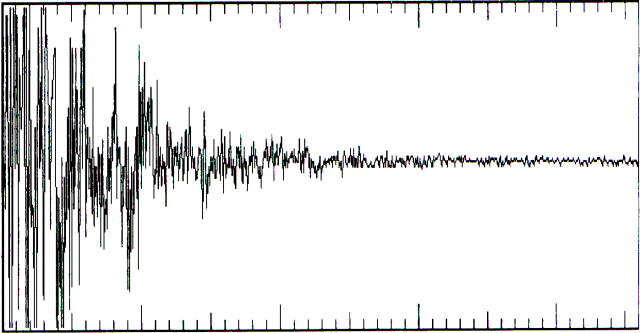
The Dirac pulse in Figure B.1 was created by a loud and rapid hand clap. This was sampled at a 35 kHz sampling rate using a simple microphone and a custom-built sampler. The sampler was connected to an Amiga, and the entire process lasted approximately 460 ms.
Lateral Efficiency
is the room's impulse response.
is the energy coming from the sides.
is the sampling rate. is the reverberation time calculated using Sabine's formula. is the incoming information bandwidth in bits.
Explanation : To be able to delay incoming data at each time instance, we need to store all sampled data. This storage has a length of units, as we require memory up to the duration of the Dirac pulse. The above fact and the definition of information bandwidth yield the formula.
MIXTHEM Capacity
op is an addition plus a multiplication. D is the computer capacity in number of ops/s. is the sampling frequency. S is the number of sound-producing objects. is the sampling frequency during Dirac pulse sampling. is the reverberation time calculated using Sabine's formula. R is the number of receivers.
Explanation of MIXTHEM Capacity: The pre-addition of all sound sources to each receiver must be performed at the same rate as the incoming data, and this contributes the following to the formula:
The impulse response length is units and contains direct, reflected, and reverberant sound. Furthermore, we need to convolve each receiver with the partial sounds that we have pre-added. This must also be done at the same rate as the incoming data. This gives the following contribution:
MIXTHEM
R is the number of receivers. is the sampling frequency of incoming data. is the reverberation time calculated using Sabine's formula. is the outgoing data bandwidth in number of bits.
Explanation of MIXTHEM : For each receiver, bytes are required to store the pre-additions used in the convolutions with the impulse response (IOUT, since we do not wish to lose data through computations). Note that it is crucial to use the same sampling frequency for incoming data and Dirac sampling to facilitate pre-additions. This gives the formula.
NODIRAC Capacity
op is one addition plus one multiplication. D is the computer capacity in number of op/s. is the sampling frequency. S is the number of sound-producing objects. is the number of early reflections. is the number of reverberation approximants. R is the number of receivers.
Explanation NODIRAC Capacity: Each source generates S direct sounds to each receiver. This requires op for convolving the direct sound.
The early reflections generate XE reflection sounds to each receiver. This requires op for convolving the reflection sounds. The reverberation approximants generate XR reverberant sounds to each receiver. This requires op for convolving the reverberant sounds.
All of the above must be performed at each sampling instant, which gives the formula.
NOMIX Capacity
op is one addition plus one multiplication. D is the computer capacity in number of op/s. is the sampling frequency. S is the number of sound-producing objects. is the sampling frequency during Dirac pulse sampling. is the reverberation time calculated using Sabine's formula. R is the number of receivers.
Explanation NOMIX Capacity: The impulse response length is units and contains direct, reflected, and reverberant sound. Furthermore, each source generates sub-sounds to each receiver. This requires op for convolving all sub-sounds. The above must be performed at each sampling instant, which gives the formula.
NOMIX
is the intermediate storage size for impulse response convolution. R is the number of receivers. is the impulse response sampling frequency. is the reverberation time calculated using Sabine's formula. is the incoming information data rate in bits.
bytes
NOMIX explanation: To store convolution data for each transmitter, bytes are required. Between each transmitter and each receiver, bytes are needed to store the impulse response used in convolutions. This yields:
Nyquist's Theorem
Sampling a low-pass filtered signal with bandwidth B Hz requires a sampling frequency of 2B Hz to capture all frequencies up to B Hz.
Proof: A wave consists of a positive and a negative part around a reference. If this wave oscillates B times per second around the reference, we will have B positive parts and an equal number of negative parts. To capture both parts so that the wave can be regenerated, we need to sample 2B times per second.
Rise Time
The time until half of the energy from the transmitted Dirac pulse has reached the test point.
Sabine's Formula
V is the room’s free volume. is the total absorption area of a specific surface. is the absorption coefficient of a specific surface. m is the air damping constant, which can be neglected if the room is small. N is the number of surfaces in the room.
Spline Function (Cubic)
Definition: Let be the sampling points, and let a function s(x) be defined on the interval . Furthermore, must be continuous over this interval. For each subinterval , let a cubic polynomial interpolate the values between the discrete sampling points. Then is a cubic spline function.
Superellipsoid
Books, Software & Hardware
Timeo hominem unius libri
St. Thomas Aquinas
For those who have considered undertaking similar work, this compilation of source material may prove useful. All following units are listed with the most commonly used unit first.
Book Influences
Heinrich Kuttruff, Room Acoustics
Andrew S. Glassner, An Introduction to Ray Tracing
K. Blair Benson, Audio Engineering Handbook
Alan Watt & Mark Watt, Advanced Animation & Rendering Techniques
Stewen Brawer, Introduction to Parallel Programming
John Watkinson, The Art of Digital Audio
Article Influences
Yoichi Ando, Calculation of subjective preference at each seat in a concert hall, Acoustical Society of America 74 (1983) 873
A. Krogstad, S. Strøm & S. Sørsdal, Fifteen Years' Experience with Computerized Ray Tracing, Applied Acoustics 16 (1983) 291
Katsuaki Sekiguchi & Sho Kimura, Calculation of Sound Field in a Room by Finite Sound Ray Integration Method, Applied Acoustics 32 (1991) 121
Book Usage
Amiga ROM Kernel Reference Manual: Include and Autodocs
Amiga User Interface Style Guide
Amiga ROM Kernel Reference Manual: Libraries
Amiga Hardware Reference Manual
Steven Williams, Programming the 68000
Craig Bolon, Mastering C
J.D. Foley & A. van Dam, Fundamentals of Interactive Computer Graphics
Karl Gustav Andersson, Linear Algebra
Grant R. Fowles, Analytical Mechanics
Tobias Weltner, Jens Trapp & Bruno Jennrich, Amiga Graphics Inside & Out
Quick Reference Books
Encyclopedia Britannica version 1991
Webster's International Dictionary
Jorge de Sousa Pires, Electronics Handbook
Carl Nordling & Jonny Österman, Physics Handbook
Lennart Råde & Bertil Westergren, Beta Mathematics Handbook
Steven Williams, 68030 Assembly Language Reference
Alan V. Oppenheim & Ronald W. Schafer, Digital Signal Processing
Software Influences
Real 3D v2.0, RealSoft
Caligari, Octree
Lightwave, NewTech
Real 3D v1.4, RealSoft
Imagine 2.0, Impulse
Sculpt 3D, Eric Graham
Videoscape, Aegis
Software Usage
FinalWriter, SoftWood, for document writing
Deluxe Paint, Electronic Arts, for image creation and retouching
TxEd, for program writing
Tool Maker, Commodore, for GUI creation
SAS C v6.0 and v6.5 compilers, for program generation
CPR, for debugging
Enforcer, as a debugging aid
Devpac 3.0, HiSoft, for optimization
Metacomco Macro Assembler, for optimization
Maple IV, for hypothesis investigation
Hardware Usage
Amiga 500+ system 2.1 with 50 MHz MC68030, 60 MHz 68882, and 4 MB, for development
Vidi Amiga, Rombo, for video scanning of various images with Sony Handycam
Star LC24-200, for pre-print correction printing
Hewlett Packard Desk Jet 550C, for master printout v1.0
Hewlett Packard Desk Jet 520, for master printout v2.0 and above
Amiga 1200 system 3.0 with 28 MHz MC68020 and 6 MB, for testing and development
Amiga 1000 system 1.3 with 7.14 MHz MC68000 and 2.5 MB, for optimizations
Amiga 3000 system 3.1 with 25 MHz MC68030 and 25 MHz 68882, for consistency checks
Amiga 4000 system 3.1 with 30 MHz MC68040, for consistency checks
Quadraverb, Alesis, for auralization experiments
Custom-built sampler, MIDI interface, and mixer for auralization experiments
DSS8+ (Digital-Sound-Studio) Hardware and Software, GVP, for auralization experiments
Dynamic Microphone, Sherman, for Dirac sampling (correlation determination model reality)
References
1
Hofstätter, M., Illustrated Science 11 (1989) 50.
2
New Findings, Illustrated Science 12 (1993) 19.
3
IEC 581.
4
McGraw-Hill Encyclopedia of Science & Technology 8 (1992) 444.
5
Kuttruff, H., Room Acoustics (1991) 82.
6
Swiatecki, S., Illustrated Science 5 (1994) 50.
7
Gabrielsson, A. & Lindström, B., "Perceived Sound Quality of High-Fidelity Loudspeakers," J. Audio Eng. Soc., 65, (1979) 1019-1033.
8
Shaw E. A. G., "The Acoustics of the External Ear," Handbook of Sensory Physiology, vol. V/1: Auditory System, Springer-Verlag, Berlin, 1974.
9
Human Hearing, Encyclopedia Britannica, 27 (1991) 204.
10
Meyer, J. Acoustics and the Performance of Music, Verlag das Musikinstrument (1978)
11
Olsen, H.F., Music, Physics and Engineering, 2nd edn (1967)
12
Cell-To-Cell Communication Via Chemical Signaling (Encyclopedia Britannica) 15 (1991) 599.
13
Toole, Floyd E., Principles of Sound and Hearing (Audio Engineering Handbook) 1.42 (1988).
14
Oppenheim, A. V. & Shafer, R. W., Digital Signal Processing. Prentice Hall, Engelwood Cliffs, NJ, (1975) 242
15
Hilmar Lehnert & Jens Blauert, Principles of Binaural Room Simulation, Applied Acoustics 36 (1992) 285.
16
Adams, G.J. & Watson, A. P., Digital audio processing for simulation of room acoustics. ASSPA, 1989, 103-107
17
Endocrine Systems, Encyclopedia Britannica, 18 (1991) 291.
18
Animal Behaviour, Encyclopedia Britannica, 14 (1991) 662.
19
Pheromone, Encyclopedia Britannica, 9 (1991) 262.
20
Exploration, Encyclopedia Britannica, 19 (1991) 48.
21
Flight simulator, Encyclopedia Britannica, 4 (1991) 834.
22
Möller H., Fundamentals of Binaural Technology, Applied Acoustics 36 (1992) 171
23
Gierlich H.W., The Application of Binaural Technology, Applied Acoustics 36 (1992) 219
24
Lehnert H. & Blauert J., Principles of Binaural Room Simulation, Applied Acoustics 36 (1992) 259
25
Vian J. & Martin J., Binaural Room Acoustics Simulation: Practical uses and Applications, International Symposium on Auditory Virtual Environment and Telepresence (Bochum, 8 April 1991) & Applied Acoustics 36 (1992) 293
26
Krokstad A., Strøm S., and Sørsdal S., Fifteen Years' Experience with Computerized Ray Tracing, Applied Acoustics 16 (1983) 291
27
Roese J. A. and Khalafalla A. S., Stereoscopic Viewing with PLZT Ceramics, Ferroelectrics 10 (1976) 47
28
Roese J. A. and McCleary L., Stereoscopic Computer Graphics for Simulation and Modeling, SIGGRAPH '79 Proceedings, Computer Graphics 13(2) (1979) 41
29
Kuttruff H., Room Acoustics, Elsevier Applied Science (1991) 62
30
Forsberg P., Applied Acoustics 18 (1985) 393
31
Choi S. and Tachibana H., Estimation of impulse response in a sound field by the finite element method, Thirteenth ICA No. E11-7 (1986)
32
Borish J., Extension of the image model to arbitrary polyhedra, Acoustic Society America 75(6) (1986) 1827
33
Kirszenstein J., An image source computer model for room acoustics analysis and electroacoustic simulation, Applied Acoustics 17 (1984) 275
34
Krokstad A., Strøm S., and Sørsdal S., Calculating the acoustical room response by the use of a ray tracing algorithm, Sound & Vibration 8(1) (1968) 118
35
Vorländer M., Simulation of the transient and steady-state sound propagation in rooms using a new combined ray-tracing/image-source algorithm, ASA 86(1) (1989) 172
36
Van Maercke D., Simulation of sound fields in time and frequency domain using a geometrical model, Twelfth ICA No. E11-7 (1986)
37
L'Espérance A., Herzog P., Diagle G.A. & Nicolas J.R., Heuristic Model for Outdoor Sound Propagation Based on an Extension of the Geometrical Ray Theory in the Case of a Linear Sound Speed Profile, Applied Acoustics 36 (1992) 111